
LCMD AI Pod
Lead the way by owning your personal AI supercomputer
An AI Performance Beast built for Hardcore Developers
2070T computing power, 128GB unified memory, full CUDA support, unlimited Tokens
An AI Performance Beast built for Hardcore Developers
2070T computing power, 128GB unified memory, full CUDA support, unlimited Tokens
From $4,699

LCMD AI Pod
Lead the way by owning your personal AI supercomputer
An AI Performance Beast built for Hardcore Developers
2070T computing power, 128GB unified memory, full CUDA support, unlimited Tokens
An AI Performance Beast built for Hardcore Developers
2070T computing power, 128GB unified memory, full CUDA support, unlimited Tokens
From $4,699
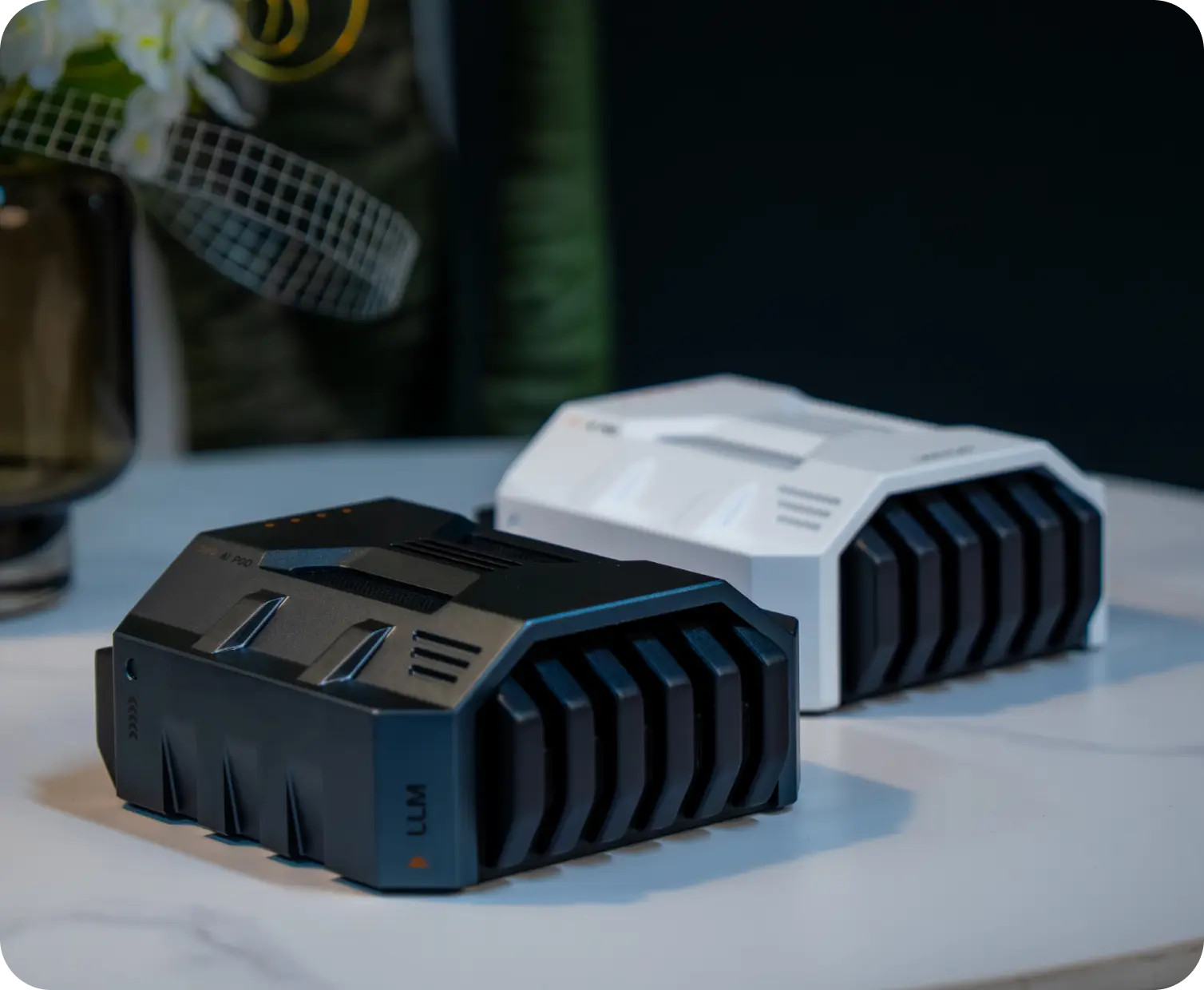
Small Desk Setup
Looks great anywhere


More than something to place on your desk—it is an artful way of life.
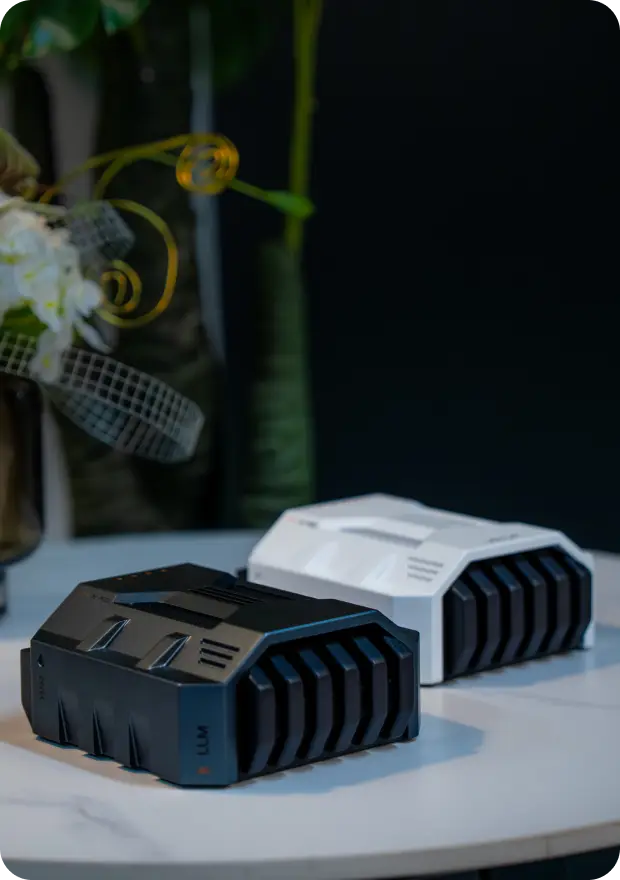
Cyberpunk Desk Setup
Build your own cyberpunk world
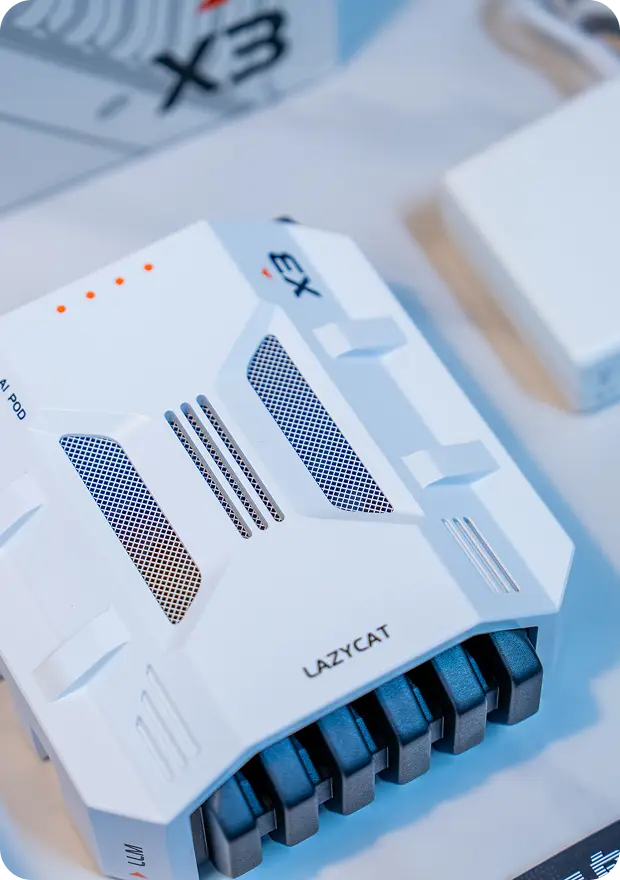
Craftsmanship
Metal exterior, premium feel, looks great anywhere
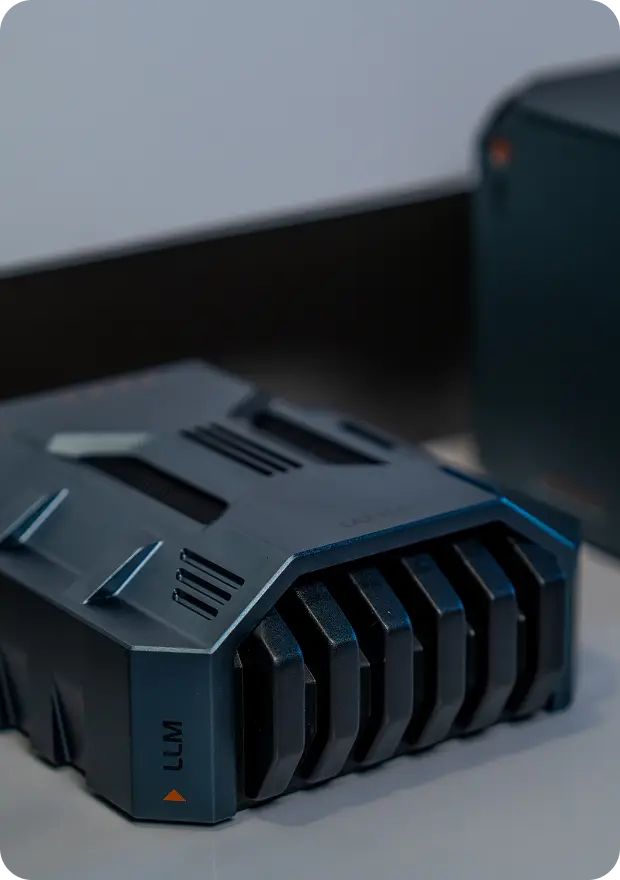
Anime Aesthetics
When anime aesthetics meet your desk, a new dimension takes shape
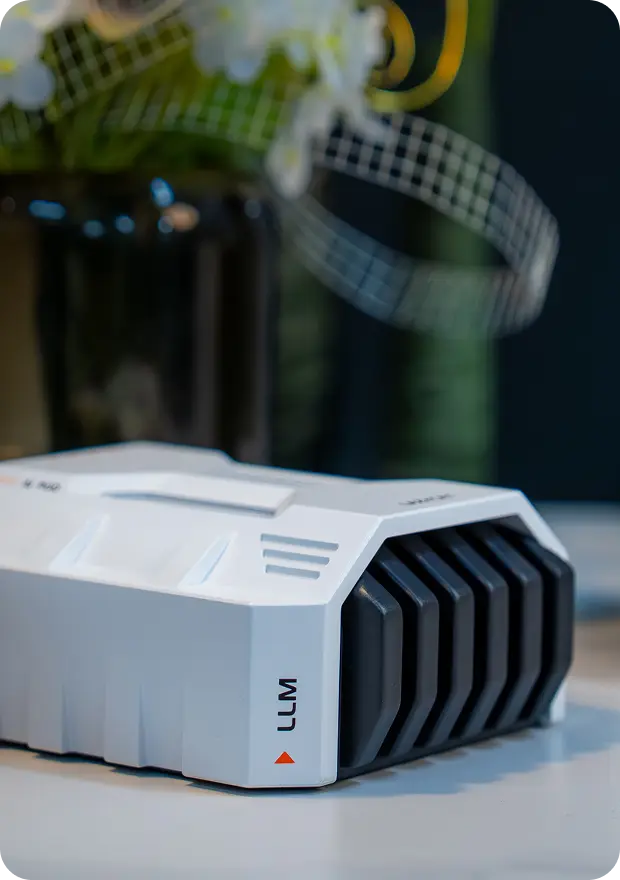
Tech Enthusiast
Precise, orderly, and full of personality
Small Desk Setup
Looks great anywhere
A desk setup brings together function, aesthetics, and personality. It is more than a desk filled with things—it is an ideal world carefully shaped within your own little space.
Cyberpunk Desk Setup
Build your own cyberpunk world
Anime Aesthetics
When anime aesthetics meet your desk, a new dimension takes shape
Tech Enthusiast
Precise, orderly, and full of personality
Relaxed Minimalism
Emotional aesthetics, calm, peaceful, and beautiful
Why Buy the LCMD AI Pod?
2070T Powerful Computing
NVIDIA's 2070T delivers genuine, powerful computing performance and is compatible with NVIDIA's CUDA AI ecosystem, with no inflated performance claims. For AI chips without NVIDIA CUDA, AI performance reflects only theoretical hardware benchmarks; without CUDA ecosystem support, actual AI computing power is reduced by about 50%.
128GB Massive Unified Memory
128GB of unified memory supports the DeepSeek-V4-Flash 284B large model (284B total parameters / 13B active parameters), and is also suitable for AI tasks such as text-to-image and text-to-video. Supports vLLM and multi-device networking to expand local AI computing power as needed.
Compatible with CUDA Ecosystem
NVIDIA chips offer the best CUDA support. AI models and software run out of the box once downloaded. Non-CUDA AI chips can take months of adaptation after downloading a model before it can even be tested. In the AI era, falling behind by a day means falling behind forever.
Get Started with AI in 5 Minutes
Ubuntu comes pre-installed with CUDA acceleration drivers and an AI development environment, together with AI applications developed by LCMD MicroServer. Beginners can go from unboxing to running an AI model in just 5 minutes. AI learning is shortened from several months to 5 minutes, easing anxiety and helping you keep up with the AI era.
Bring Your AI Lab Home
It provides computing power comparable to a small workstation and supports research-grade computing. AI laboratories at many universities (including Wuhan University, Huazhong University of Science and Technology, Shantou University, Xiamen University, and Peking University) have purchased it for cutting-edge AI research. Value-added tax invoices are available, along with 3 years of technical after-sales support. Apply for an educational discount and accelerate your research!
Unlock All Your AI Potential with One Device
Full-scenario coverage from model development and app deployment to content creation. AI applications include web search, RAG search, text-to-image, text-to-video, web summarization, AI input, web screenshot-to-text, audio/video summarization, web text-to-speech, and video-to-text. They are all available with one-click installation and no configuration, so you can keep up with AI trends in real time. Supports popular AI inference frameworks such as Ollama, vLLM, and Shimmy. (Note: These AI applications require use with LCMD MicroServer.)
Say Goodbye to Cloud Queues and Expensive Bills
Cloud GPU bills devour budgets like a bottomless pit. With a one-time investment in an AI Pod, you own a private local AI supercomputer. Compared with mainstream AI cloud services, annual AI subscription fees for more than 10 applications can easily exceed RMB 20,000. Add up your subscriptions and see how much you can save in a year.
Your Data Belongs Only to You
Core code, trade secrets, private datasets... Are you really comfortable uploading them to the cloud? Local deployment eliminates the privacy risks of uploading data to the cloud. Physical isolation meets the strictest data security requirements. Own it now and protect your core digital assets.
Lead the Way: Start by Owning Your Own Computing Engine
In the era of private AI supercomputing, the moat is your unique industry knowledge and data. Owning a private AI supercomputer lets you validate ideas one step faster than others. Founding edition users have already successfully developed AI applications with the AI Pod. Take action, and join the leaders now!
A Money-Making Tool
The AI Pod is designed specifically for AI model inference, with module power consumption of 40W ~ 130W—lower than the typical 350W ~ 450W of consumer graphics cards. It can save on AI subscription fees while keeping capabilities such as text-to-image and text-to-video local, continuously unlocking AI productivity.
A Supercomputer in Your Pocket
With LCMD MicroServer's unparalleled intranet access, your phone can directly use the AI computing power of the AI Pod at home while you are away. There is no need to buy expensive AI-chip upgrades for your phone, computer, or tablet. One AI Pod upgrades the AI computing power of all your devices—convenient and cost-effective.
Dedicated AI R&D Team
We are not selling cold machines, but warm companionship. Whatever your AI needs, our AI R&D team will follow up with development right away. Buy the hardware and receive powerful customized AI R&D support—a great value.
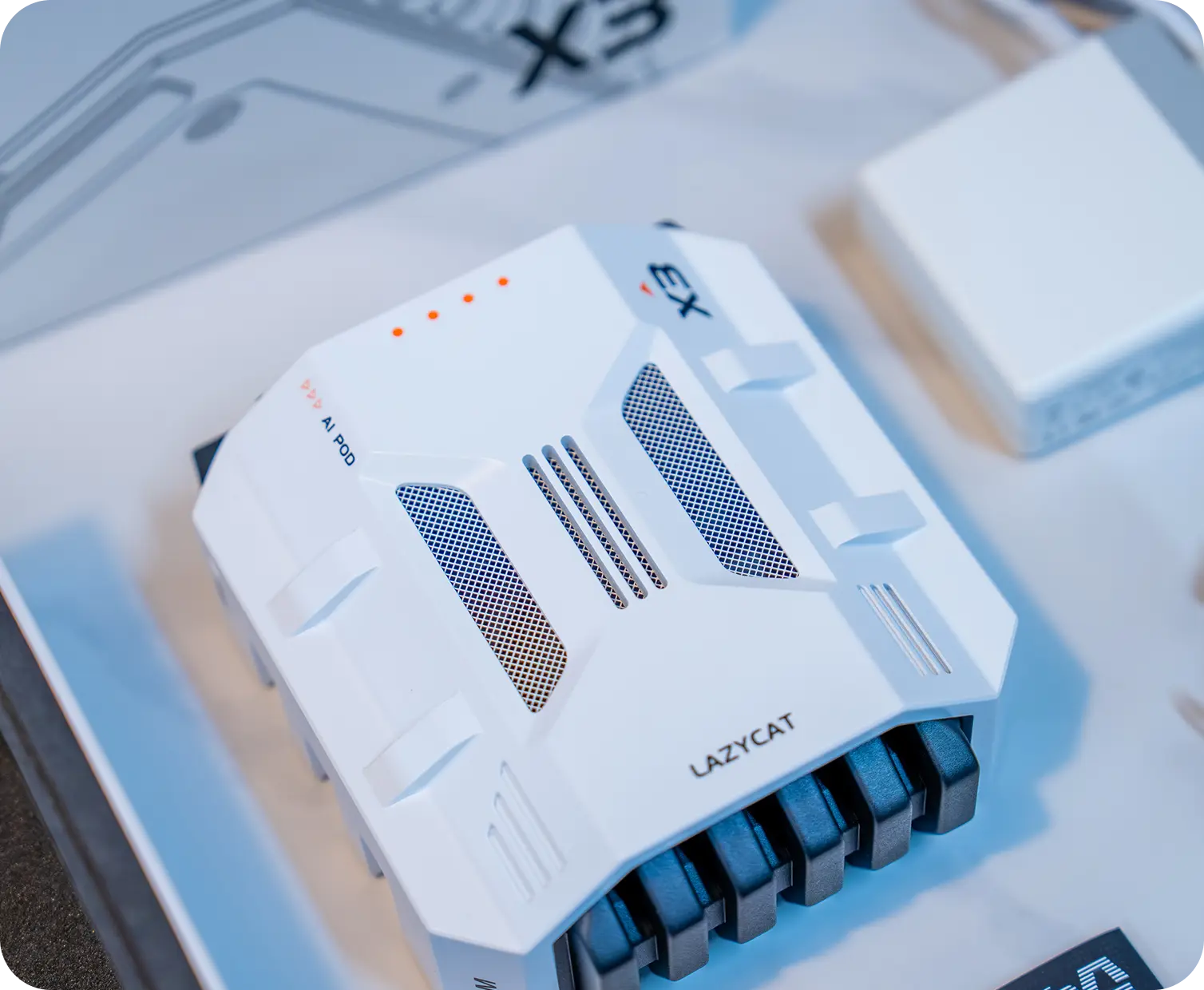
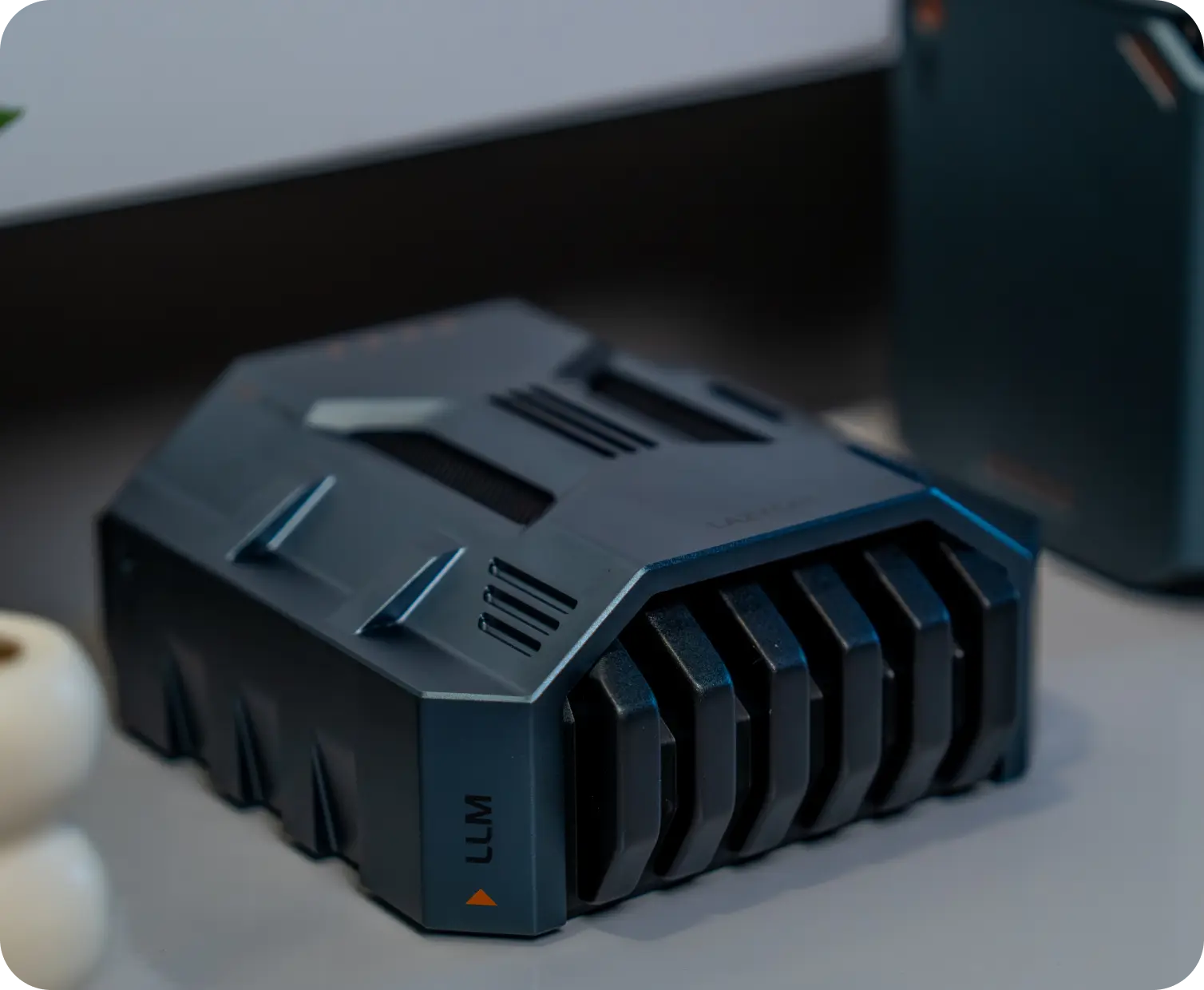
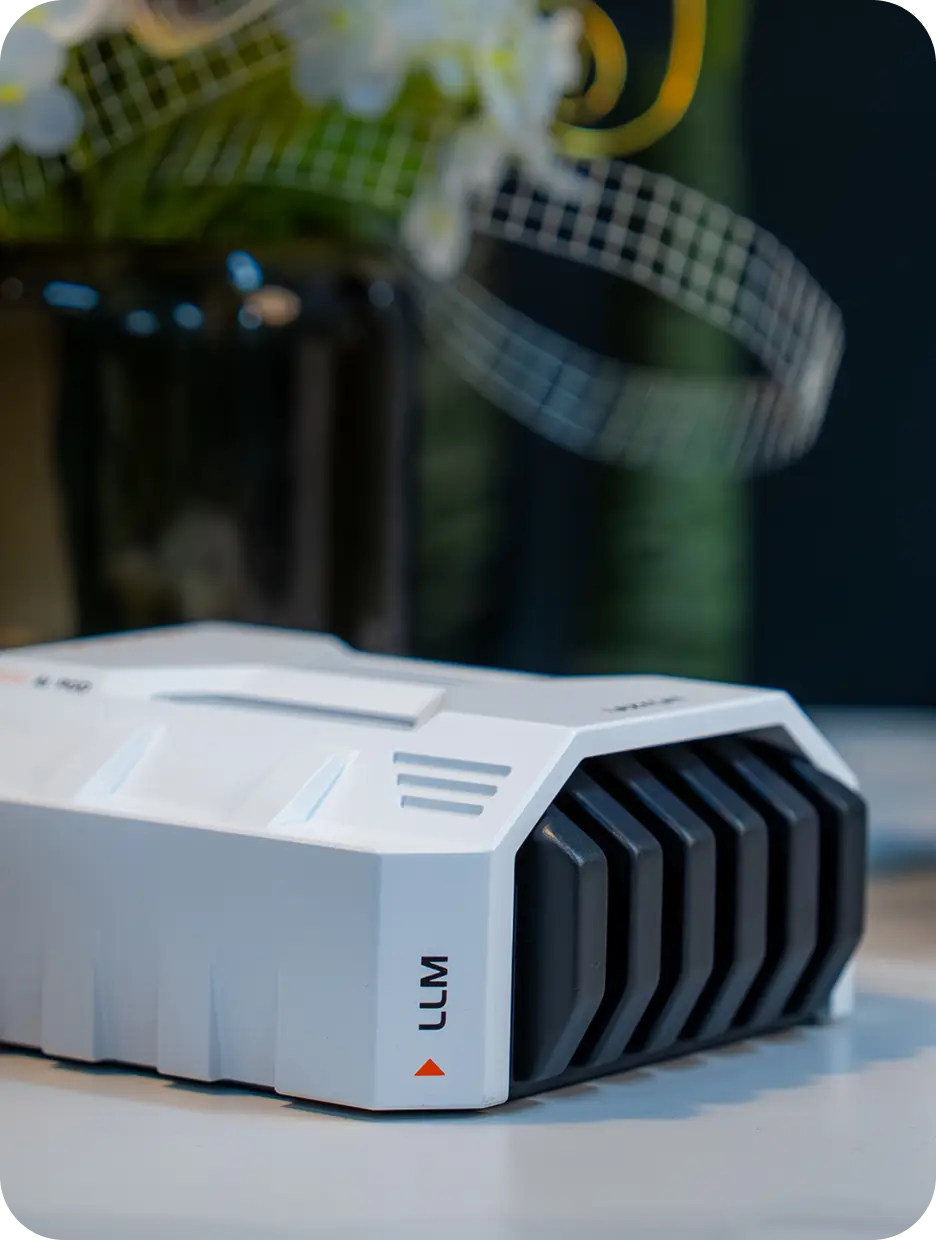
Looks Incredible
The exterior design draws inspiration from Star Wars Stormtroopers and the streamlined design of Ferrari supercars, with a sleek starship-inspired sci-fi aesthetic. It is not only a productivity tool, but also a sci-fi statement piece for the AI cyber era. Supercomputer, supercar, super cool! It will bring you joy wherever you place it.
A Private-Cloud Concierge
7×18-hour technical chat support from frontline AI engineers. Tech enthusiasts can tinker with the AI Pod after work and learn AI technology. Come and have fun!
Why Buy the LCMD AI Pod?
2070T Powerful Computing
NVIDIA's 2070T delivers genuine, powerful computing performance and is compatible with NVIDIA's CUDA AI ecosystem, with no inflated performance claims. For AI chips without NVIDIA CUDA, AI performance reflects only theoretical hardware benchmarks; without CUDA ecosystem support, actual AI computing power is reduced by about 50%.
128GB Massive Unified Memory
128GB of unified memory supports the DeepSeek-V4-Flash 284B large model (284B total parameters / 13B active parameters), and is also suitable for AI tasks such as text-to-image and text-to-video. Supports vLLM and multi-device networking to expand local AI computing power as needed.
Compatible with CUDA Ecosystem
NVIDIA chips offer the best CUDA support. AI models and software run out of the box once downloaded. Non-CUDA AI chips can take months of adaptation after downloading a model before it can even be tested. In the AI era, falling behind by a day means falling behind forever.
Get Started with AI in 5 Minutes
Ubuntu comes pre-installed with CUDA acceleration drivers and an AI development environment, together with AI applications developed by LCMD MicroServer. Beginners can go from unboxing to running an AI model in just 5 minutes. AI learning is shortened from several months to 5 minutes, easing anxiety and helping you keep up with the AI era.
Bring Your AI Lab Home
It provides computing power comparable to a small workstation and supports research-grade computing. AI laboratories at many universities (including Wuhan University, Huazhong University of Science and Technology, Shantou University, Xiamen University, and Peking University) have purchased it for cutting-edge AI research. Value-added tax invoices are available, along with 3 years of technical after-sales support. Apply for an educational discount and accelerate your research!
Unlock All Your AI Potential with One Device
Full-scenario coverage from model development and app deployment to content creation. AI applications include web search, RAG search, text-to-image, text-to-video, web summarization, AI input, web screenshot-to-text, audio/video summarization, web text-to-speech, and video-to-text. They are all available with one-click installation and no configuration, so you can keep up with AI trends in real time. Supports popular AI inference frameworks such as Ollama, vLLM, and Shimmy. (Note: These AI applications require use with LCMD MicroServer.)
Say Goodbye to Cloud Queues and Expensive Bills
Cloud GPU bills devour budgets like a bottomless pit. With a one-time investment in an AI Pod, you own a private local AI supercomputer. Compared with mainstream AI cloud services, annual AI subscription fees for more than 10 applications can easily exceed RMB 20,000. Add up your subscriptions and see how much you can save in a year.
Your Data Belongs Only to You
Core code, trade secrets, private datasets... Are you really comfortable uploading them to the cloud? Local deployment eliminates the privacy risks of uploading data to the cloud. Physical isolation meets the strictest data security requirements. Own it now and protect your core digital assets.
Lead the Way: Start by Owning Your Own Computing Engine
In the era of private AI supercomputing, the moat is your unique industry knowledge and data. Owning a private AI supercomputer lets you validate ideas one step faster than others. Founding edition users have already successfully developed AI applications with the AI Pod. Take action, and join the leaders now!
A Money-Making Tool
The AI Pod is designed specifically for AI model inference, with module power consumption of 40W ~ 130W—lower than the typical 350W ~ 450W of consumer graphics cards. It can save on AI subscription fees while keeping capabilities such as text-to-image and text-to-video local, continuously unlocking AI productivity.
A Supercomputer in Your Pocket
With LCMD MicroServer's unparalleled intranet access, your phone can directly use the AI computing power of the AI Pod at home while you are away. There is no need to buy expensive AI-chip upgrades for your phone, computer, or tablet. One AI Pod upgrades the AI computing power of all your devices—convenient and cost-effective.
Dedicated AI R&D Team
We are not selling cold machines, but warm companionship. Whatever your AI needs, our AI R&D team will follow up with development right away. Buy the hardware and receive powerful customized AI R&D support—a great value.
Looks Incredible
The exterior design draws inspiration from Star Wars Stormtroopers and the streamlined design of Ferrari supercars, with a sleek starship-inspired sci-fi aesthetic. It is not only a productivity tool, but also a sci-fi statement piece for the AI cyber era. Supercomputer, supercar, super cool! It will bring you joy wherever you place it.
A Private-Cloud Concierge
7×18-hour technical chat support from frontline AI engineers. Tech enthusiasts can tinker with the AI Pod after work and learn AI technology. Come and have fun!
2070T Computing Power
128GB Massive Unified Memory
128GB Massive Unified Memory
284B Large Model
Unlimited Tokens
Unlimited Tokens
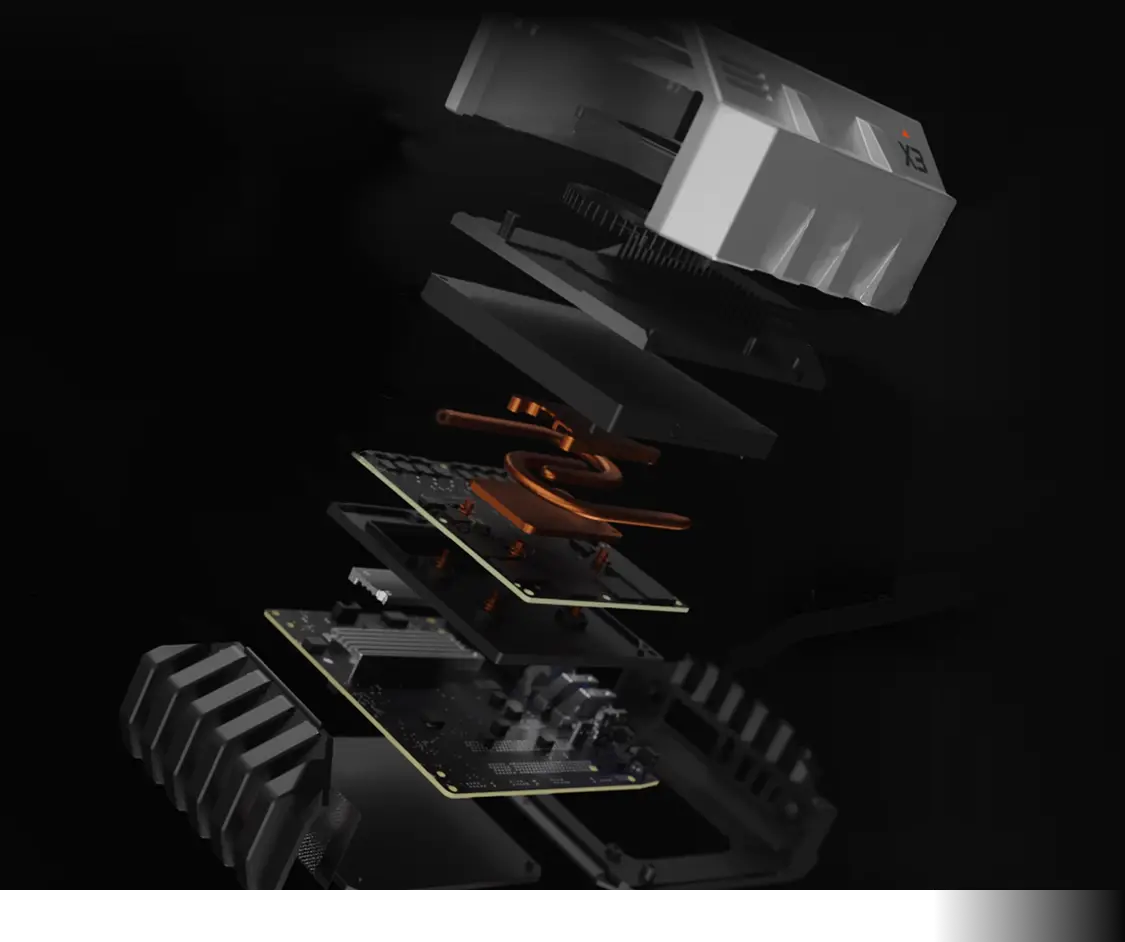
NVIDIA Jetson T5000
NVIDIA Blackwell Architecture GPU
96
Tensor Cores
2560
Cores
1.57 GHz
Max
ARM Chip Model
Arm® Neoverse®-V3AE 64-bit
14
Cores
2.6 GHz
Max
Unified Memory
LPDDR5X 273 GB/s
Up to 128GB
Storage
Up to 32TB
Up to 2 M.2 slots
AI
Private Deployment 284B Quantized Large Model


External Ports
1 HDMI, 1 Type-C
2 USB 3.2
10GbE Ethernet Port
100GbE Optical Port
Power Consumption
40W ~ 130W
Focused on Inference, Extremely Quiet
Video AI Processing Capability


2070T Computing Power, 128GB Massive Unified Memory
284B Large Model, Unlimited Tokens
284B Large Model, Unlimited Tokens
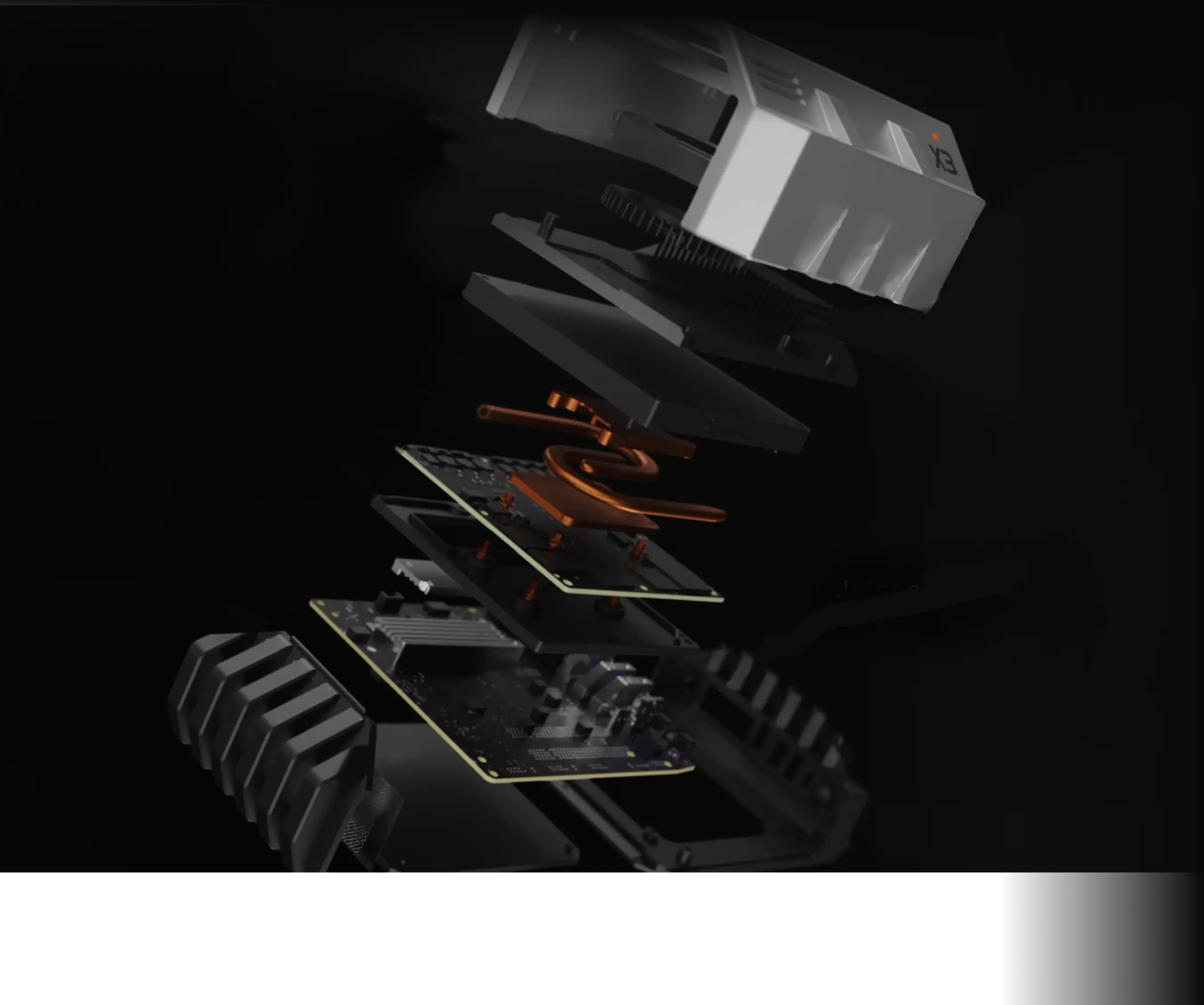
NVIDIA Jetson T5000
NVIDIA Blackwell Architecture GPU
96
Tensor Cores
2560
Cores
1.57 GHz
Max
ARM Chip Model
Arm® Neoverse®-V3AE 64-bit
14
Cores
2.6 GHz
Max
Unified Memory
LPDDR5X 273 GB/s
Up to 128GB
AI
Private Deployment 284B Quantized Large Model
Storage
Up to 32TB
Up to 2 M.2 slots
External Ports
1 HDMI, 1 Type-C
2 USB 3.2
10GbE Ethernet Port
100GbE Optical Port
Power Consumption
40W ~ 130W
Focused on Inference, Extremely Quiet
Video AI Processing Capability
DeepSeek V4 Flash: Local Deployment
Private local AI host at 63 tokens/s with two concurrent requests, no internet required
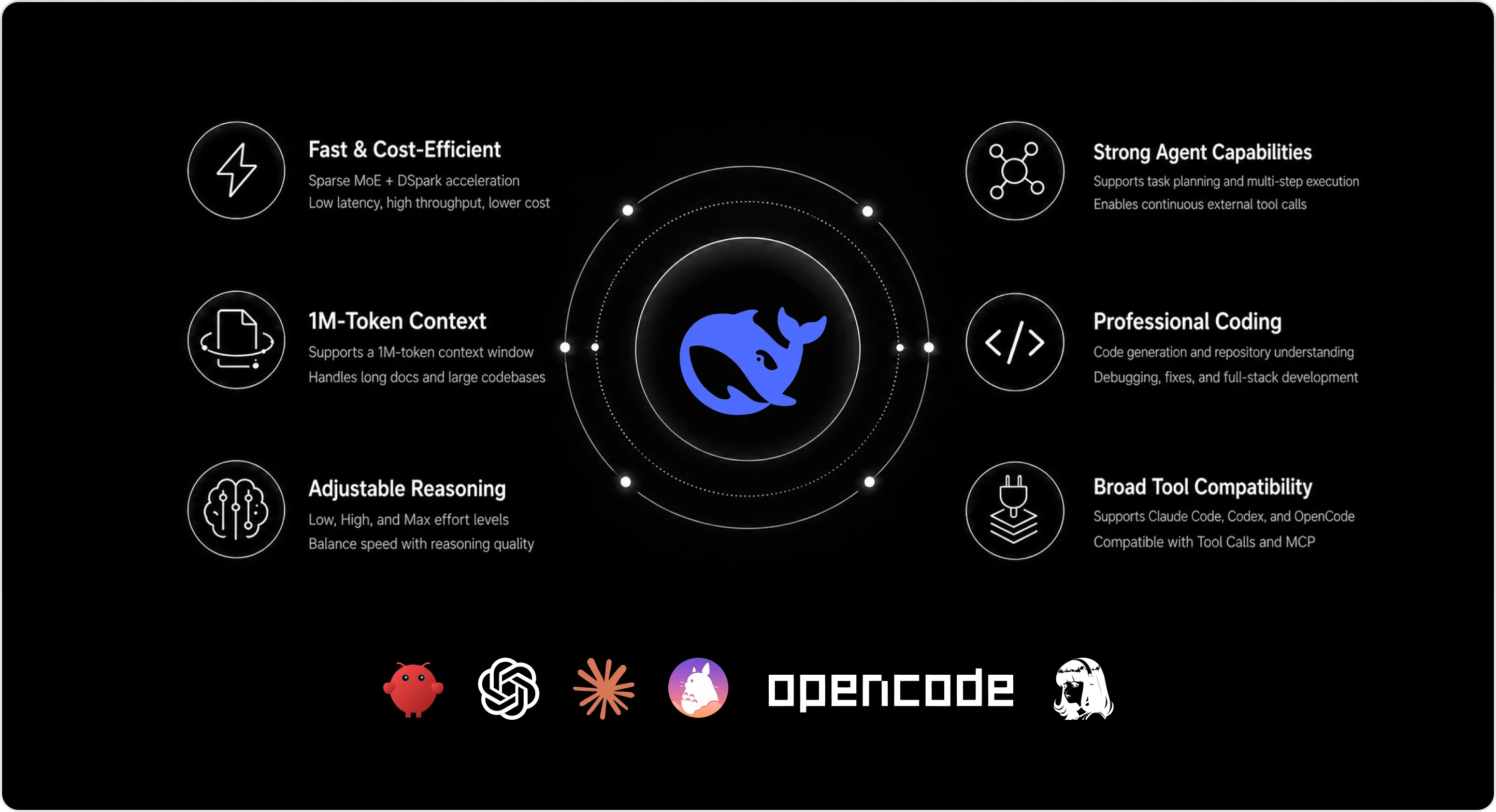
DeepSeek V4 Flash: Local Deployment
Private local AI host at 63 tokens/s with two concurrent requests, no internet required
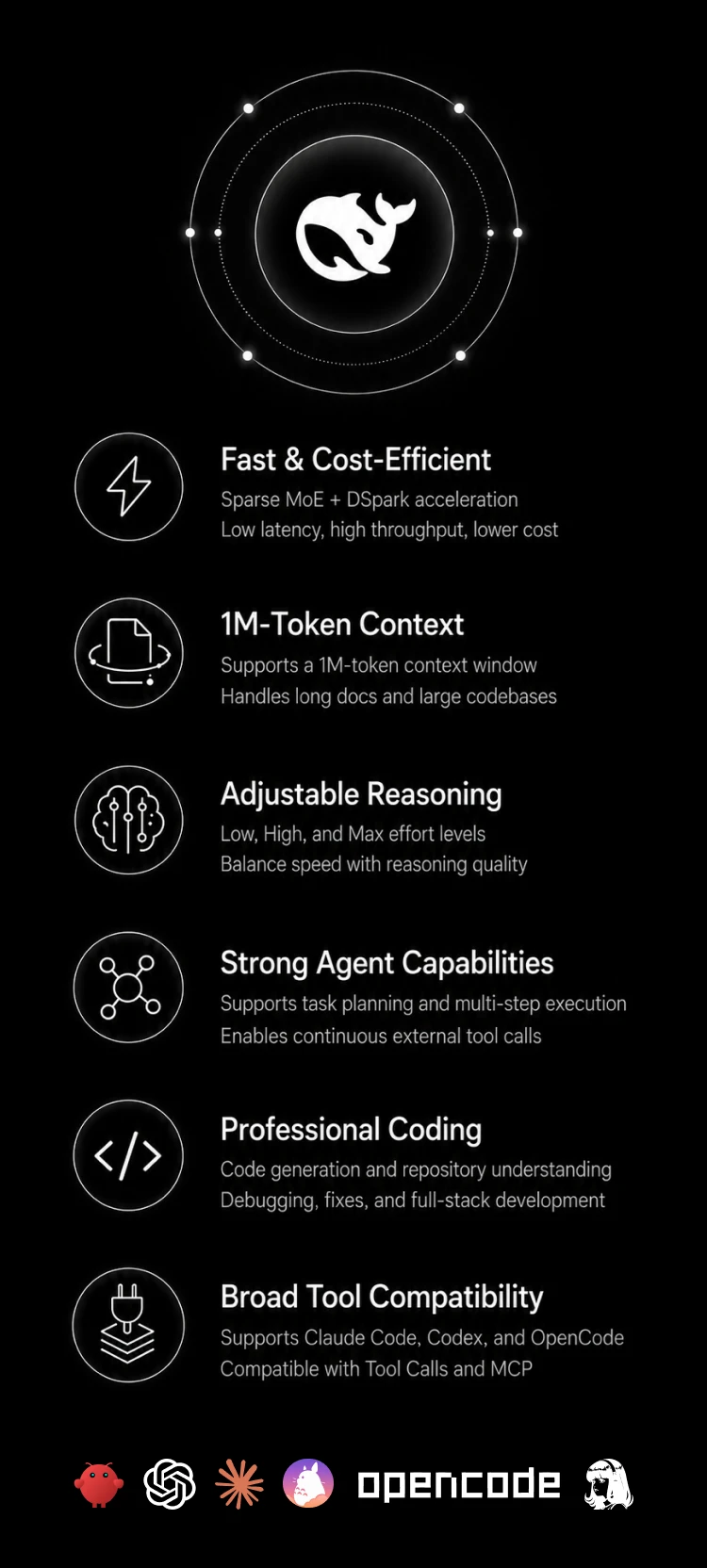
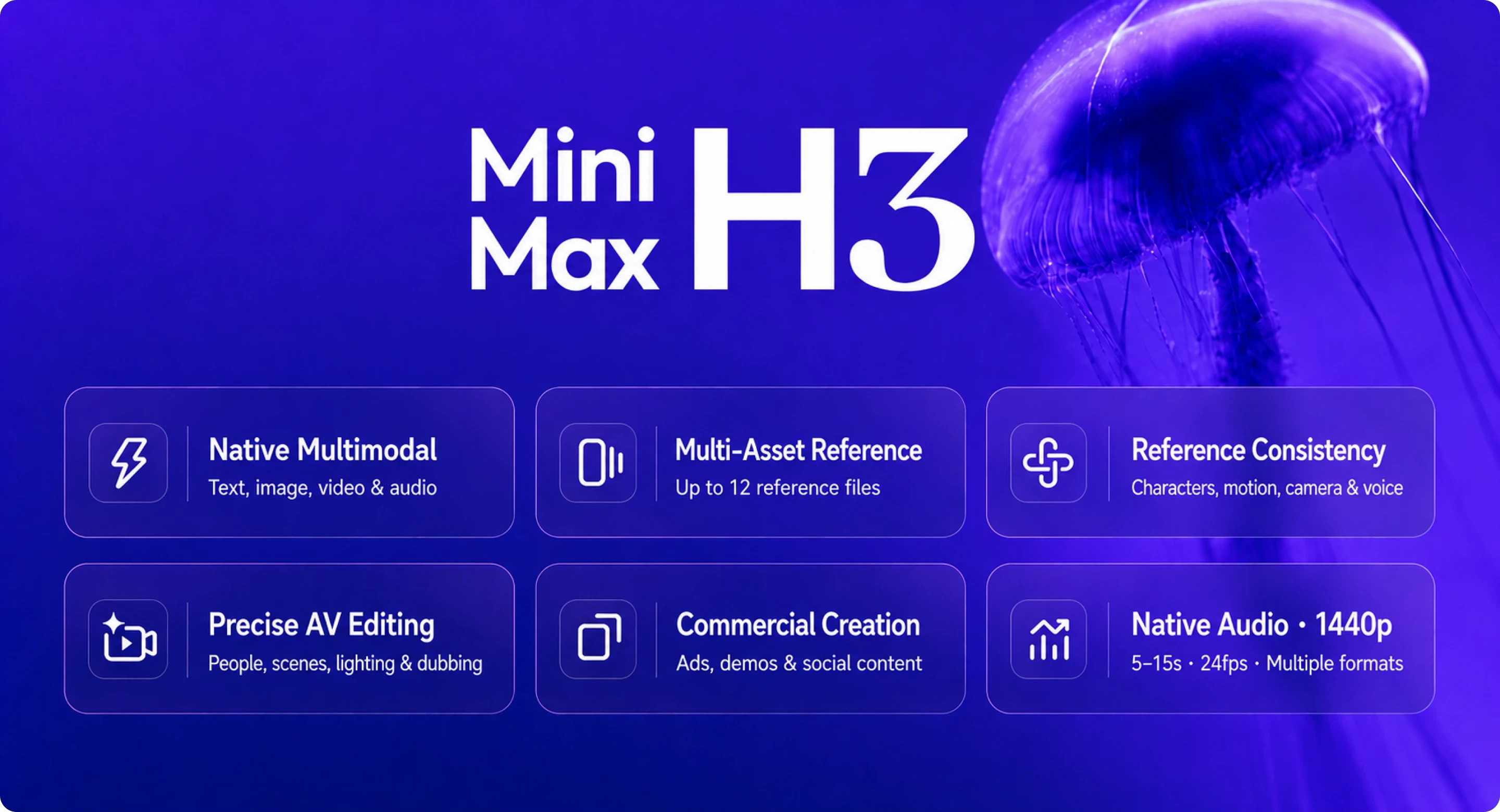
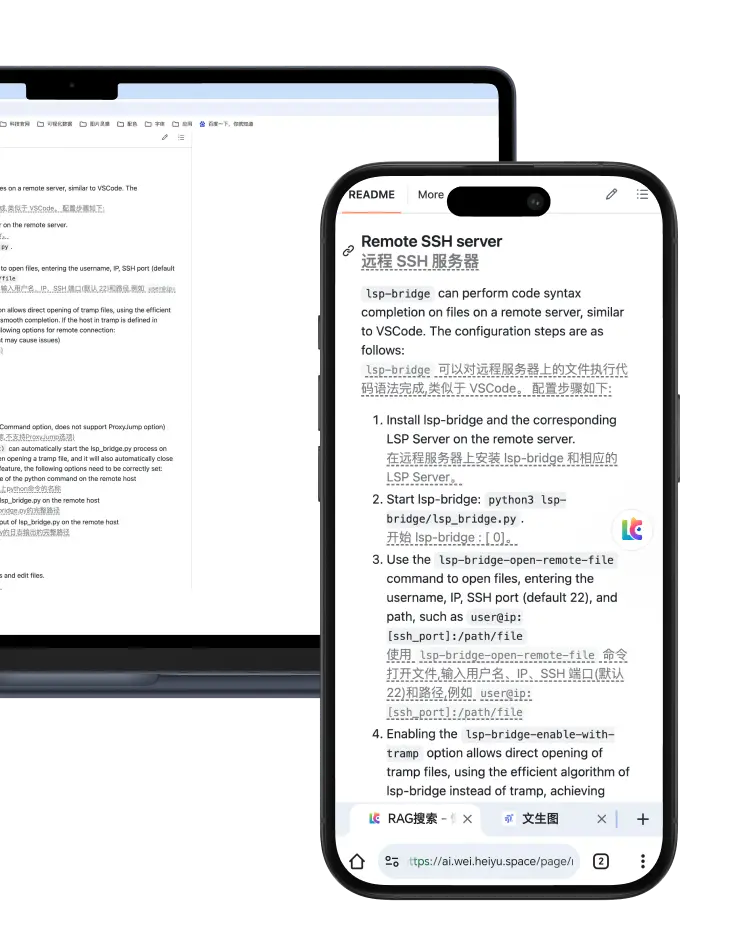
MiniMax H3‑Base: Local Deployment
An end-to-end audio-visual model for private text-to-video, multimodal image-text-audio generation, and closed-loop creation on an internal network
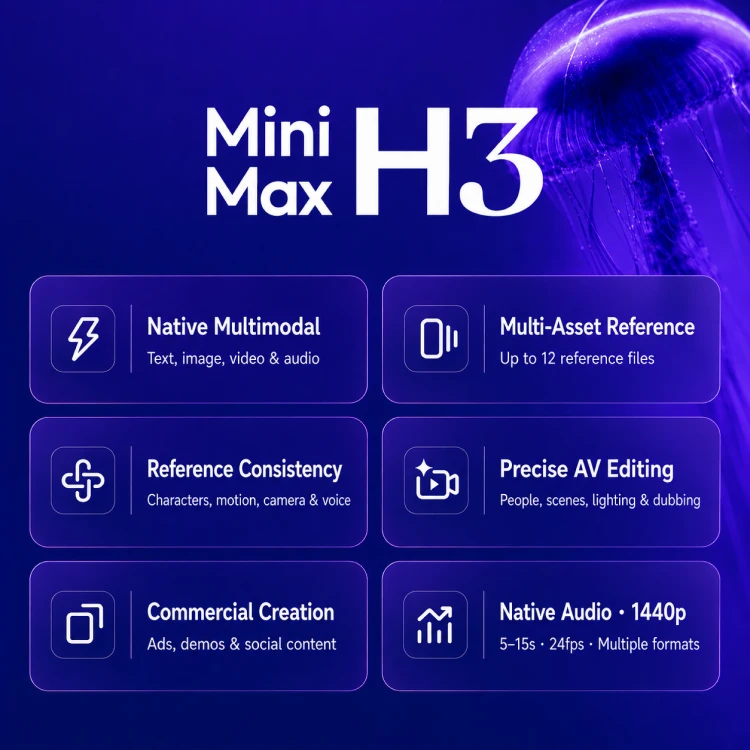
MiniMax H3‑Base: Local Deployment
An end-to-end audio-visual model for private text-to-video, multimodal image-text-audio generation, and closed-loop creation on an internal network
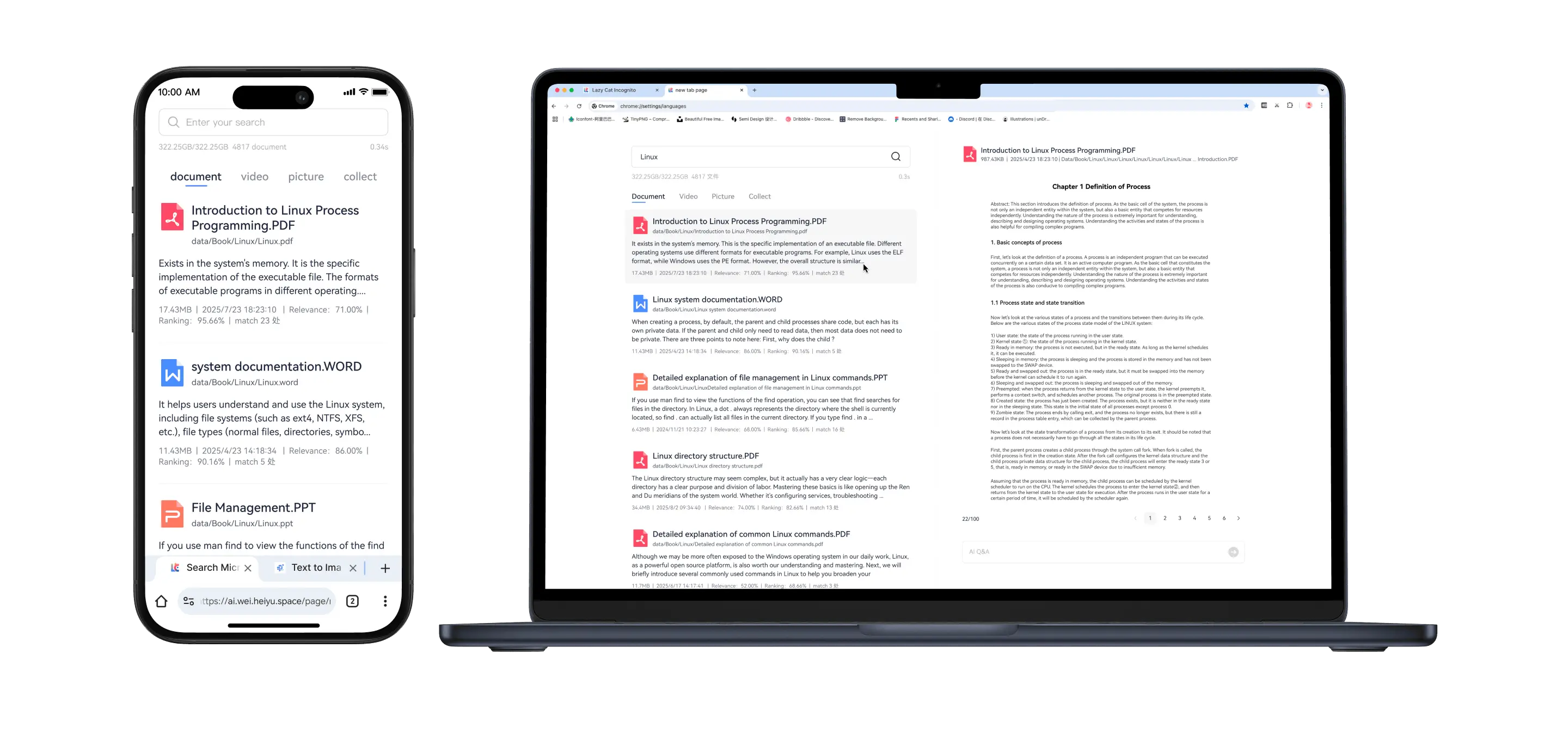
Search Within the LCMD MicroServer for 100% Privacy and Security
Search millions of files in 1 second, search videos, office documents and images, office efficiency increased by 1000 times.
Search Within the LCMD MicroServer for 100% Privacy and Security
Search millions of files in 1 second, search videos, office documents and images, office efficiency increased by 1000 times.
Immersive AI Translation, Super Fast
5ms ultra-low latency translation, read and translate immediately, unlimited free translation
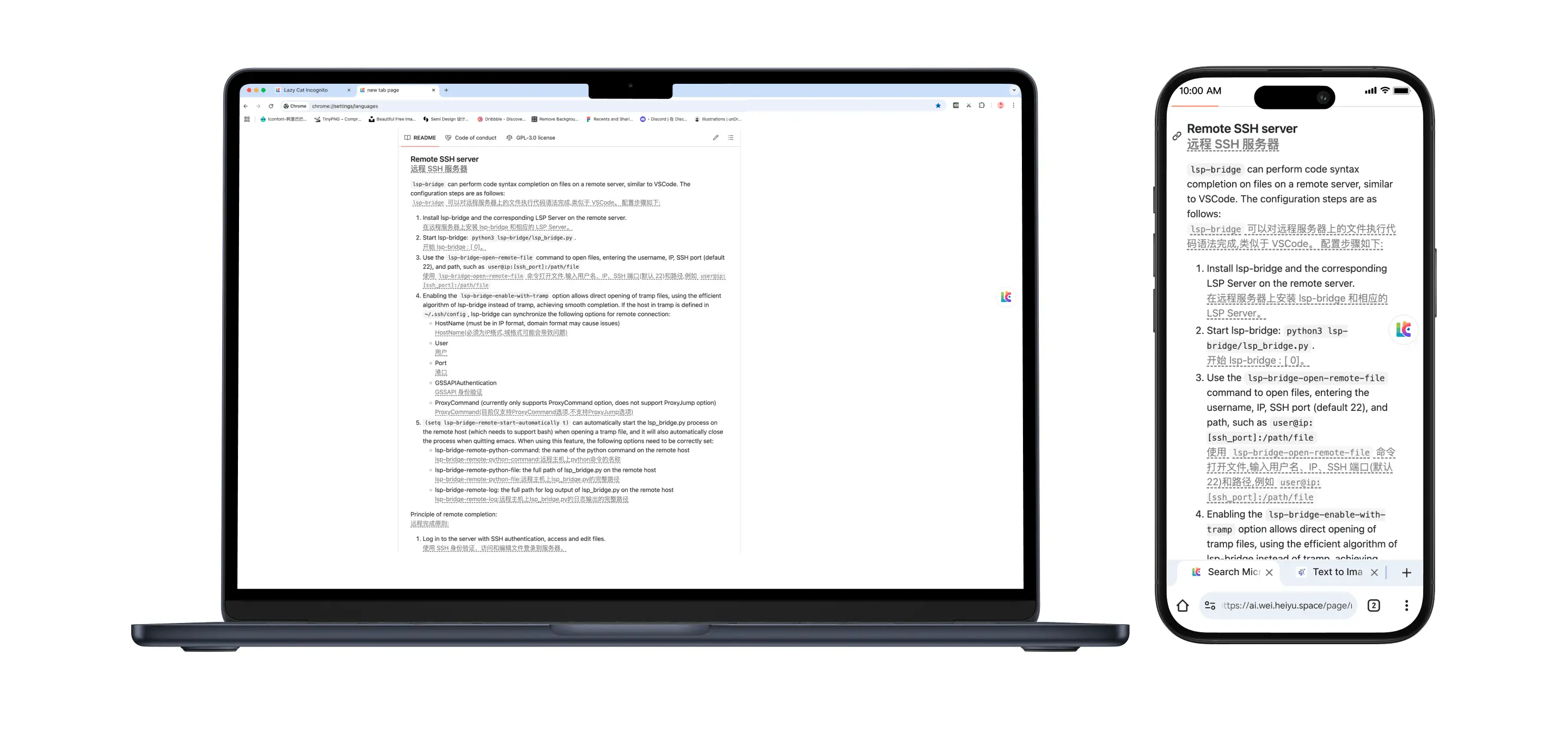
Immersive AI Translation, Super Fast
5ms ultra-low latency translation, read and translate immediately, unlimited free translation
Text-to-Video Large Model, Runs Locally with Massive Memory
Supports text-to-image and text-to-video, generates one image in 4 seconds, and can generate 20,000 images a day for just RMB 0.3 in electricity
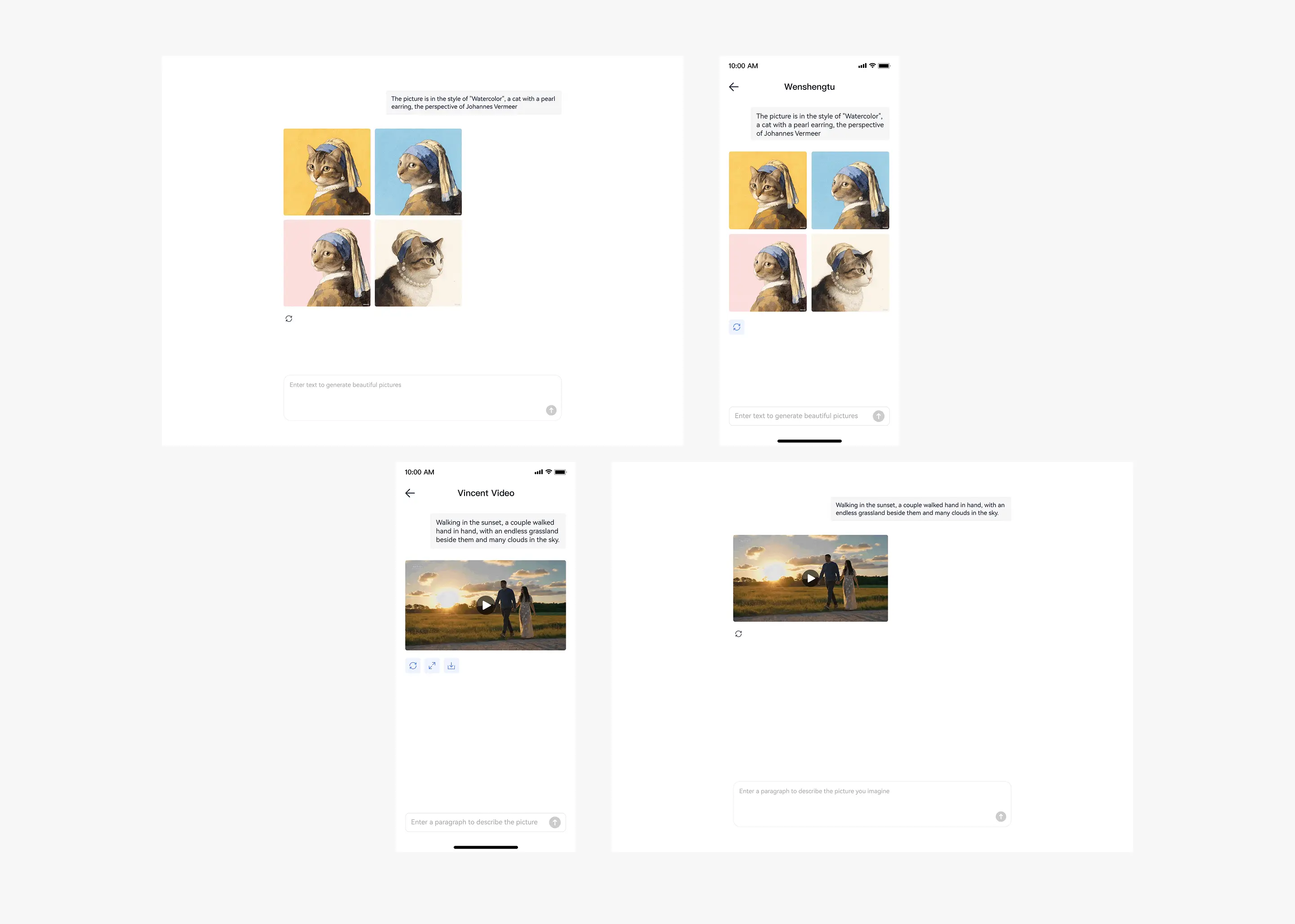
Text-to-Video Large Model
Runs Locally with Massive Memory
Runs Locally with Massive Memory
Supports text-to-image and text-to-video
Generates one image in 4 seconds
Generate 20,000 images a day for just RMB 0.3 in electricity
Generates one image in 4 seconds
Generate 20,000 images a day for just RMB 0.3 in electricity

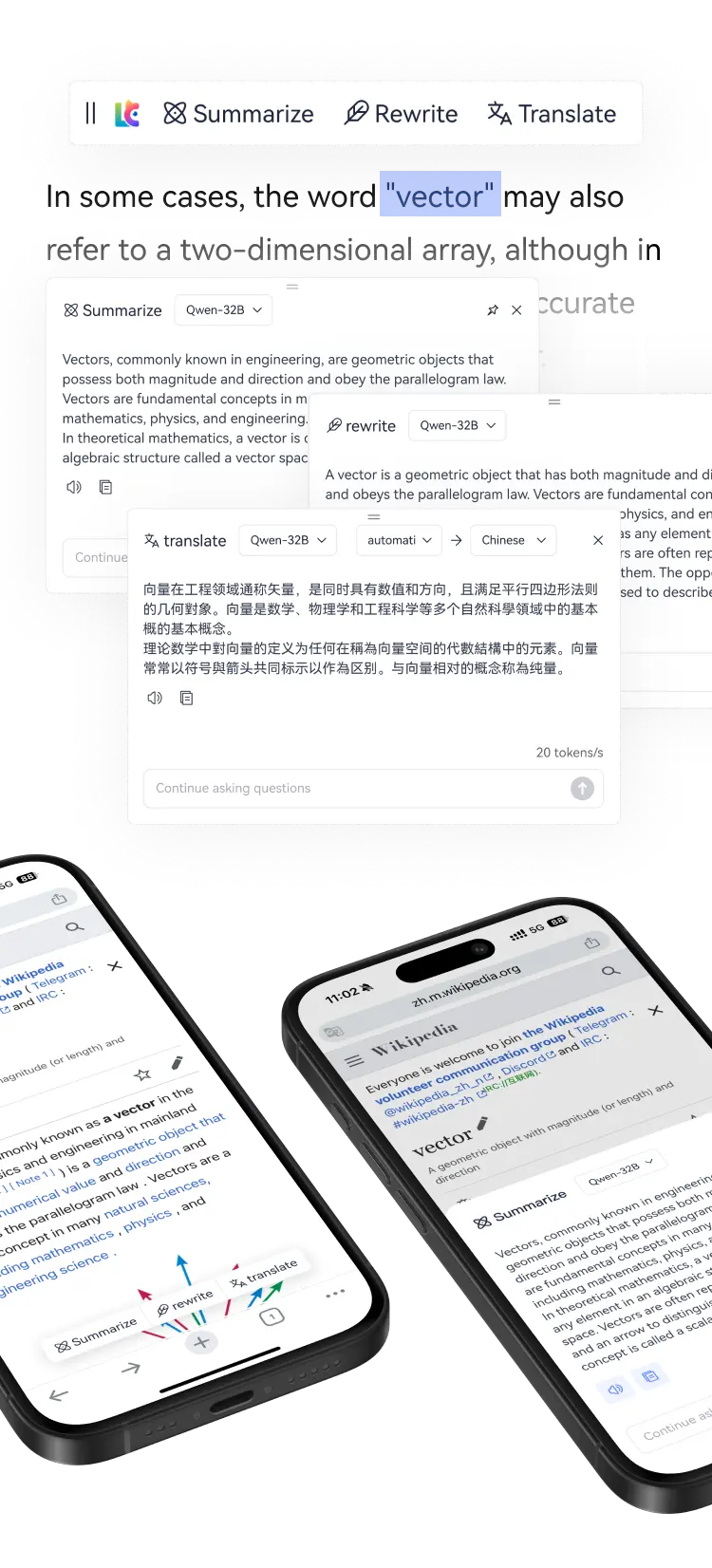
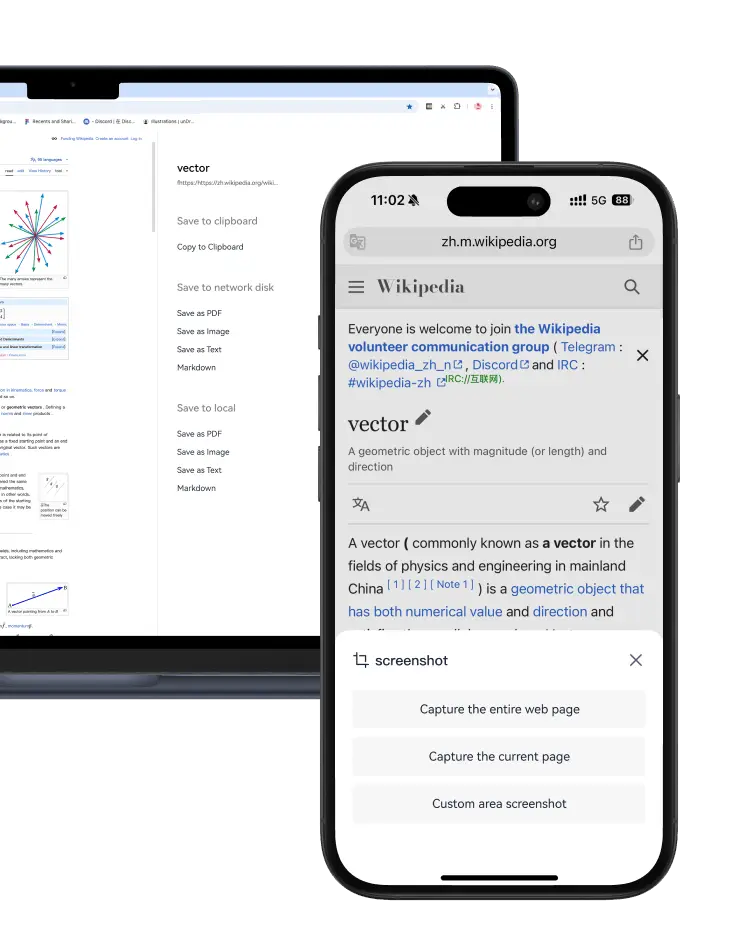
Web AI Summary
No AI subscription needed, Unlimited AI research, supports web page summary, rewriting and translation
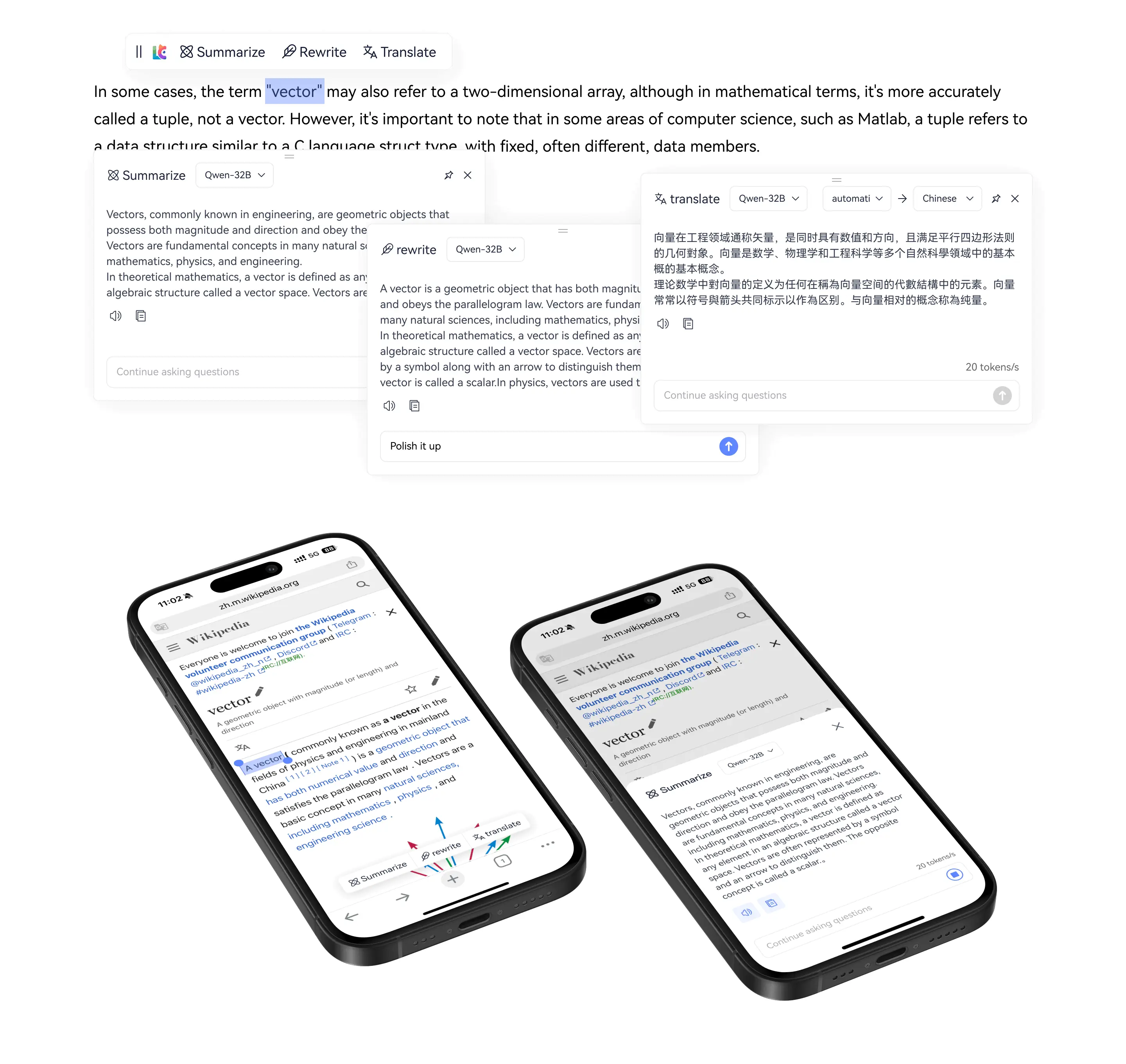
Web AI Summary
No AI subscription needed
Unlimited AI research
Supports web page summary, rewriting and translation
Unlimited AI research
Supports web page summary, rewriting and translation
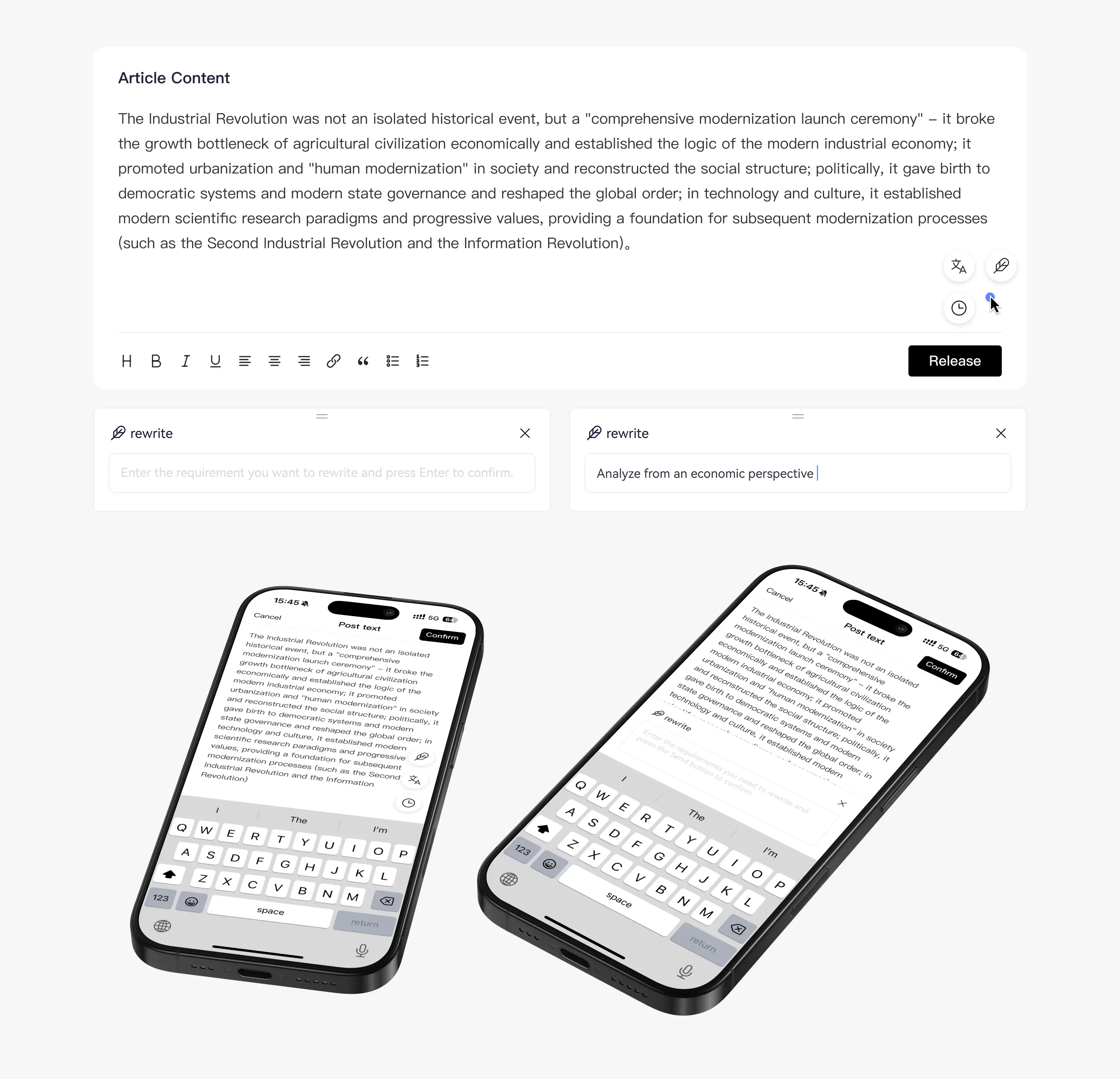
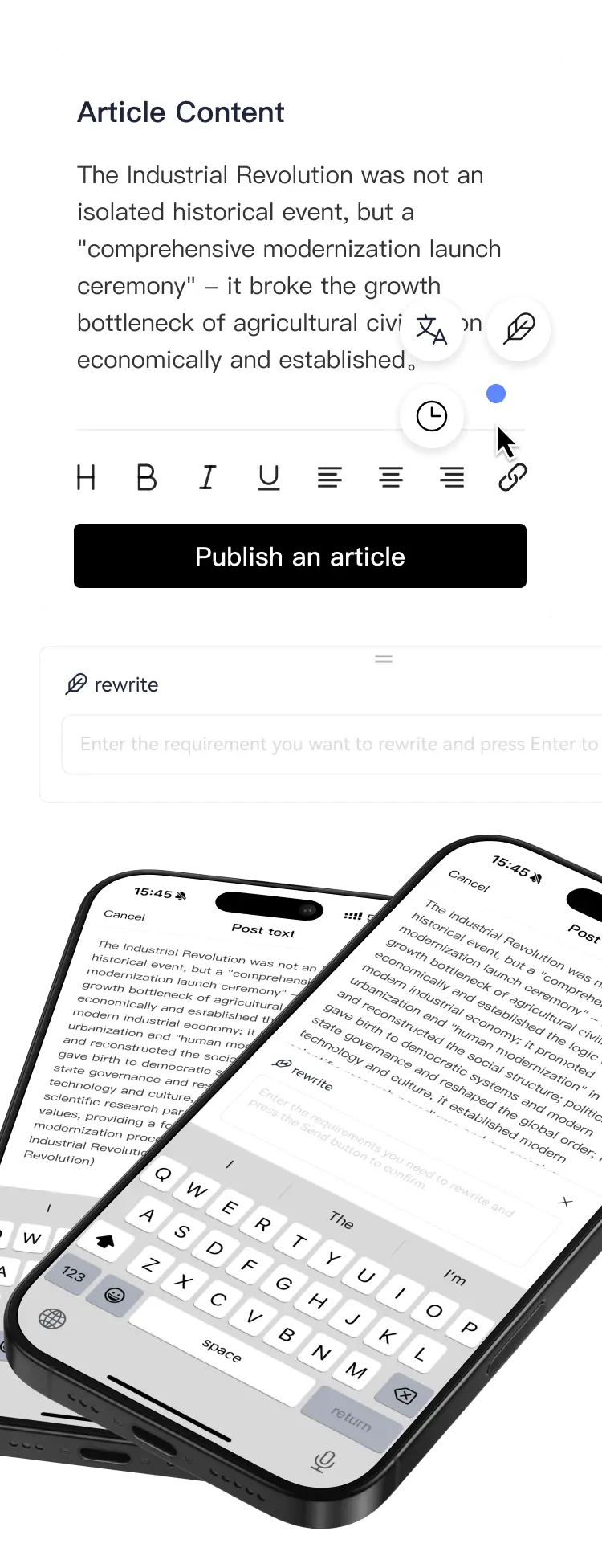
AI Input Box
Any web input box, type Chinese, press the space bar three times, and it will be automatically translated into English, Spanish, Russian, etc. A great helper for cross-border e-commerce.
AI Input Box
Any web input box, type Chinese, press the space bar three times, and it will be automatically translated into English, Spanish, Russian, etc. A great helper for cross-border e-commerce.
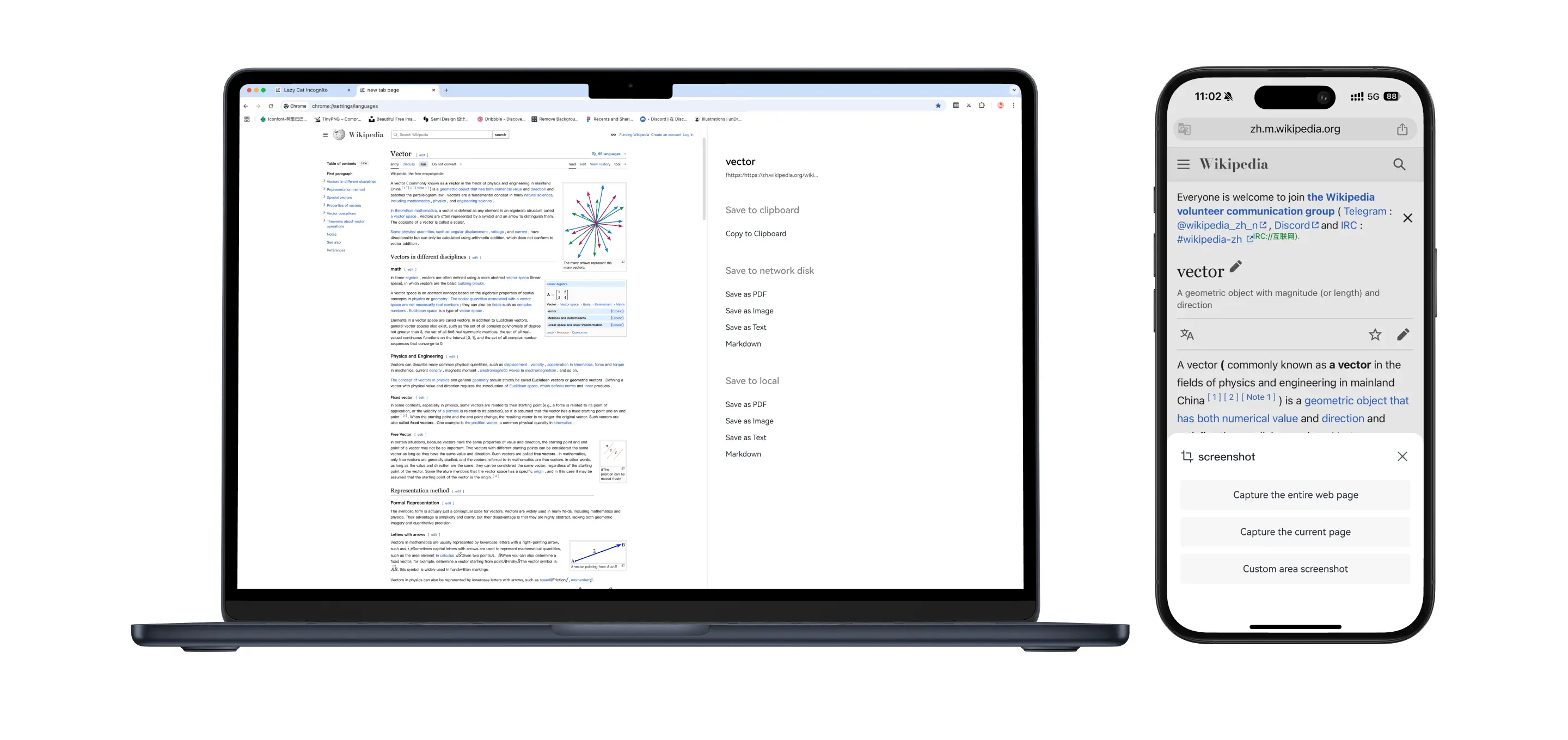
Web AI Screenshot
Screenshot any webpage to extract text, easily unlock website anti-copying restrictions
Web AI Screenshot
Screenshot any webpage to extract text
Easily unlock website anti-copying restrictions
Easily unlock website anti-copying restrictions
Video AI Summary
AI analyzes video content and delivers results in 10 seconds. Review the summary before watching the video—learn 100 times faster.
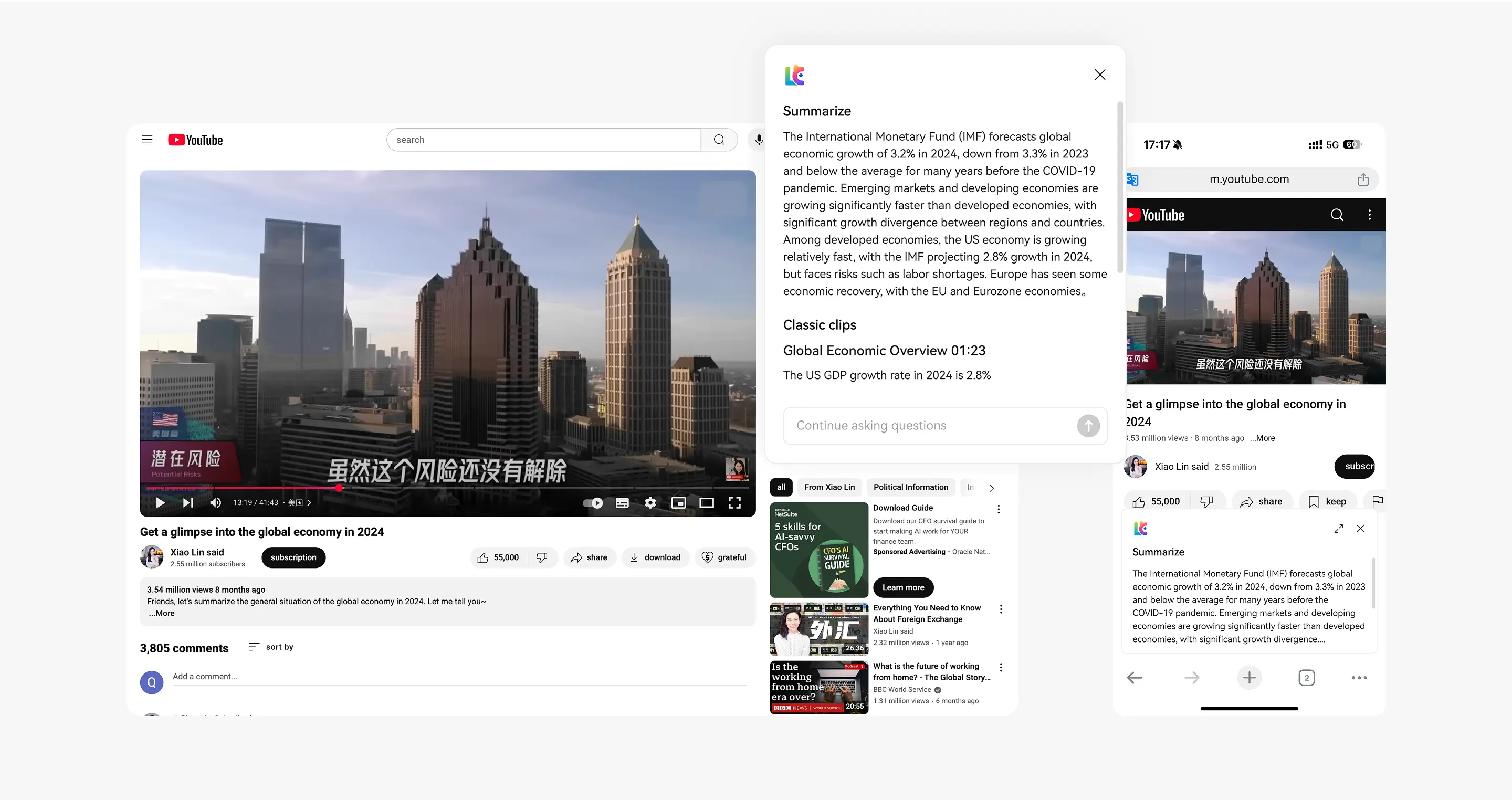
Video AI Summary
AI analyzes video content and delivers results in 10 seconds.
Review the summary before watching the video—learn 100 times faster.
Review the summary before watching the video—learn 100 times faster.

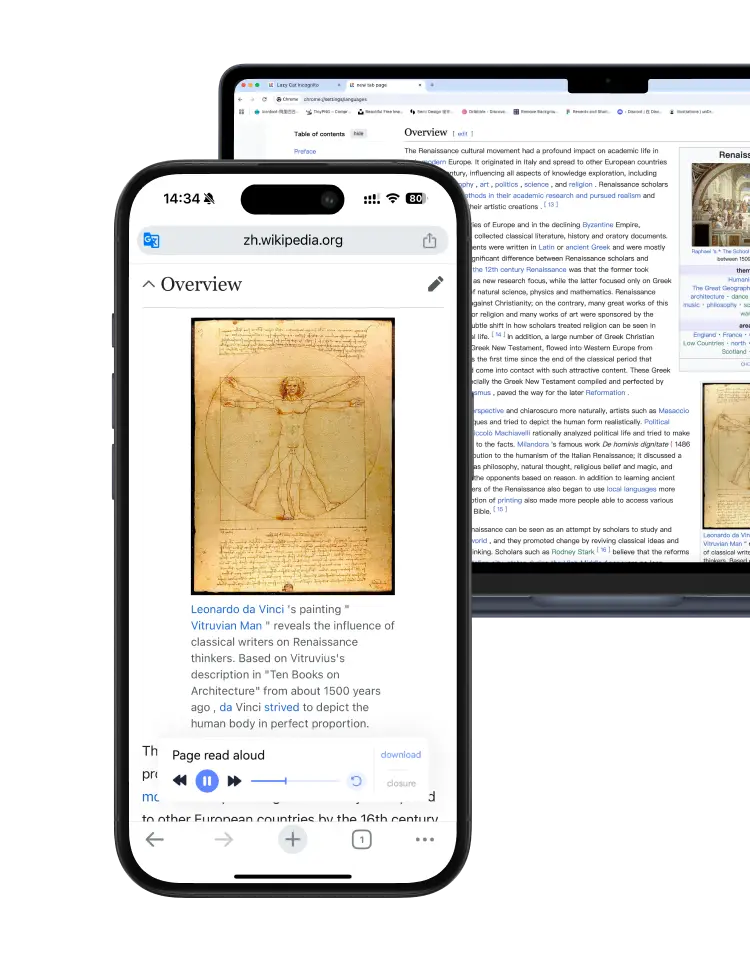
Webpage AI Reading
Turn any webpage into a podcast; learn while driving or on a business trip
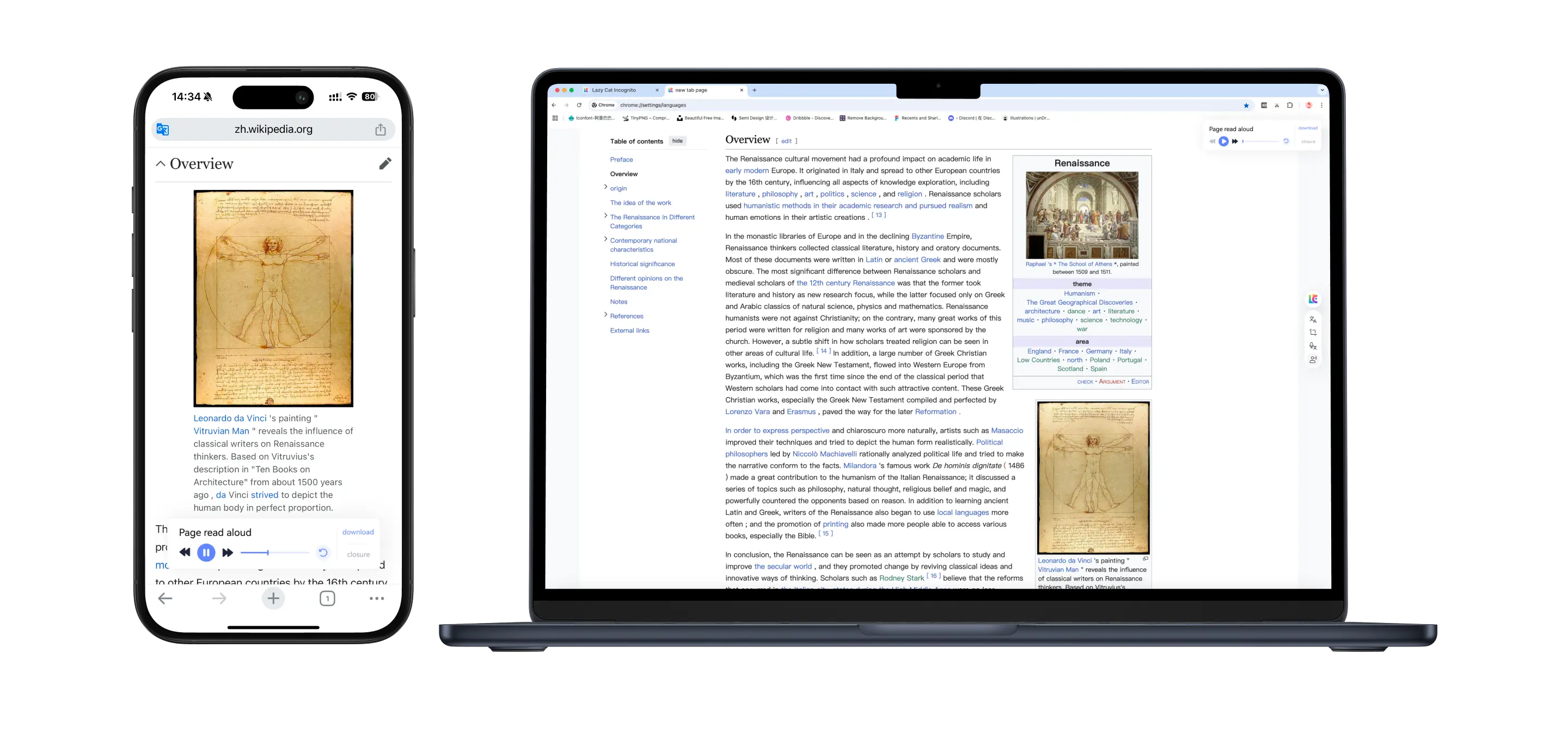
Webpage AI Reading
Turn any webpage into a podcast; learn while driving or on a business trip
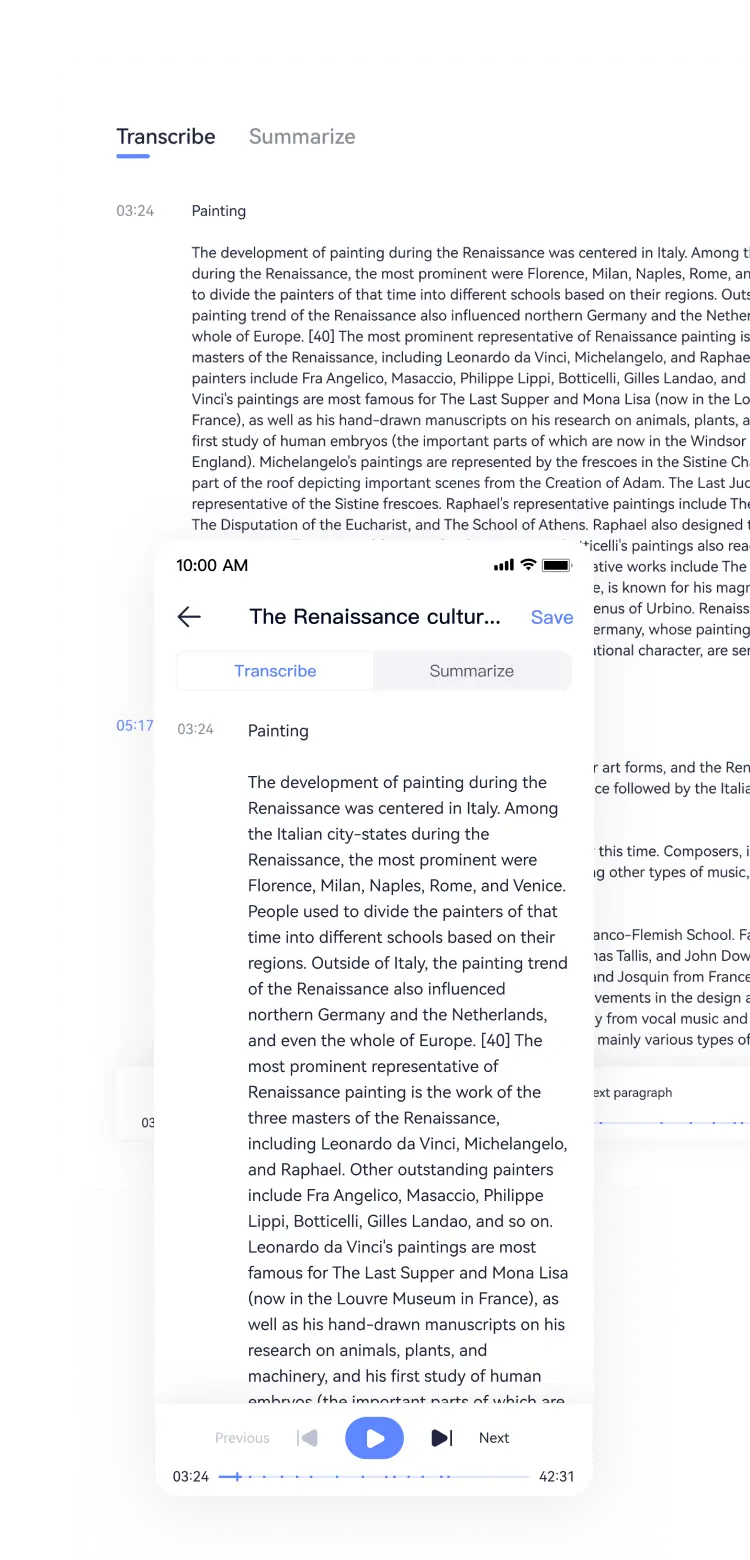
AI Audio-to-Text
Quickly transcribe and summarize audio content from platforms like Xiaoyuzhou and Himalaya FM. Learn 2 hours of audio in 5 minutes
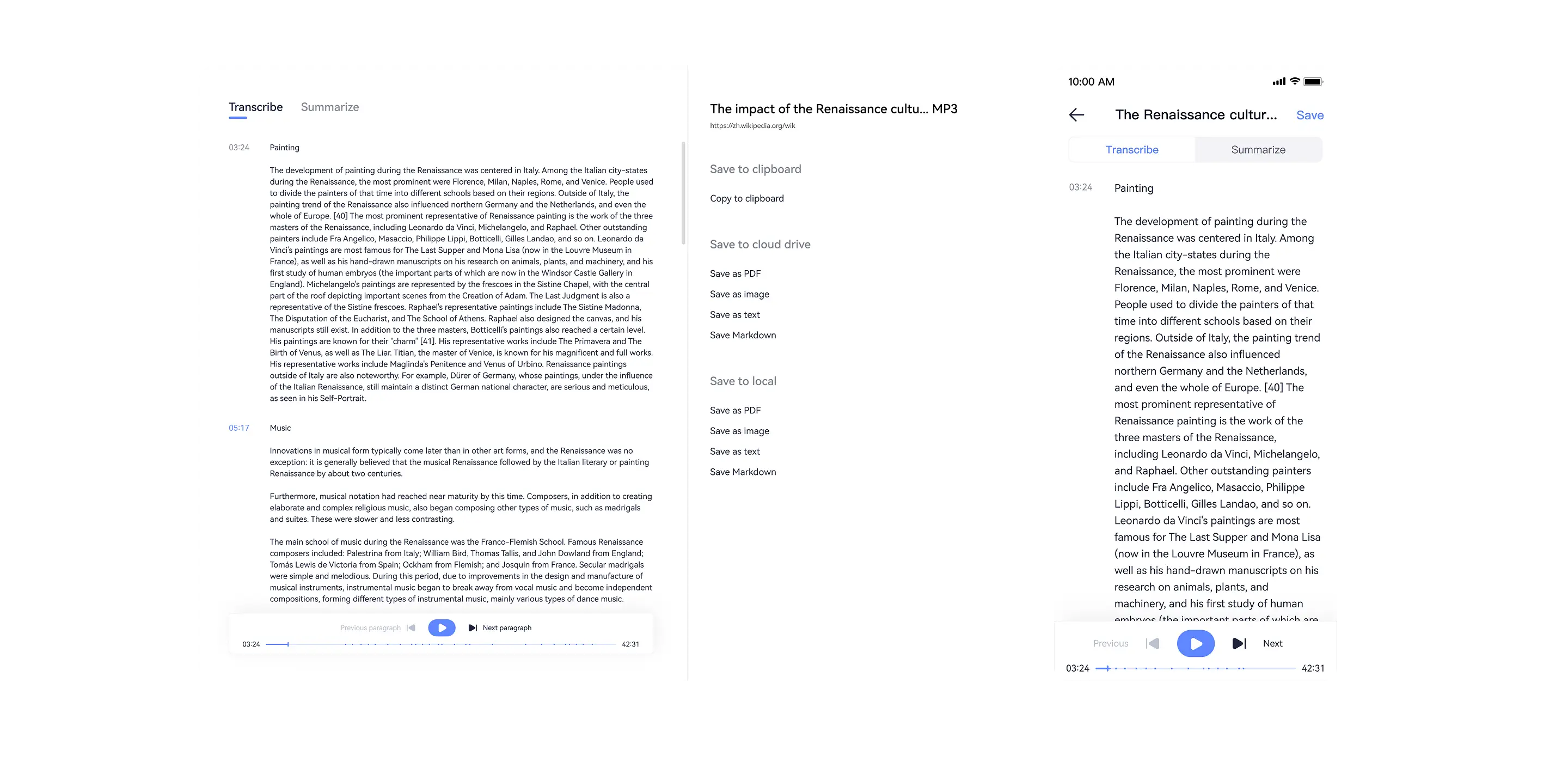
AI Audio-to-Text
Quickly transcribe and summarize audio content from platforms like Xiaoyuzhou and Himalaya FM
Learn 2 hours of audio in 5 minutes
Learn 2 hours of audio in 5 minutes
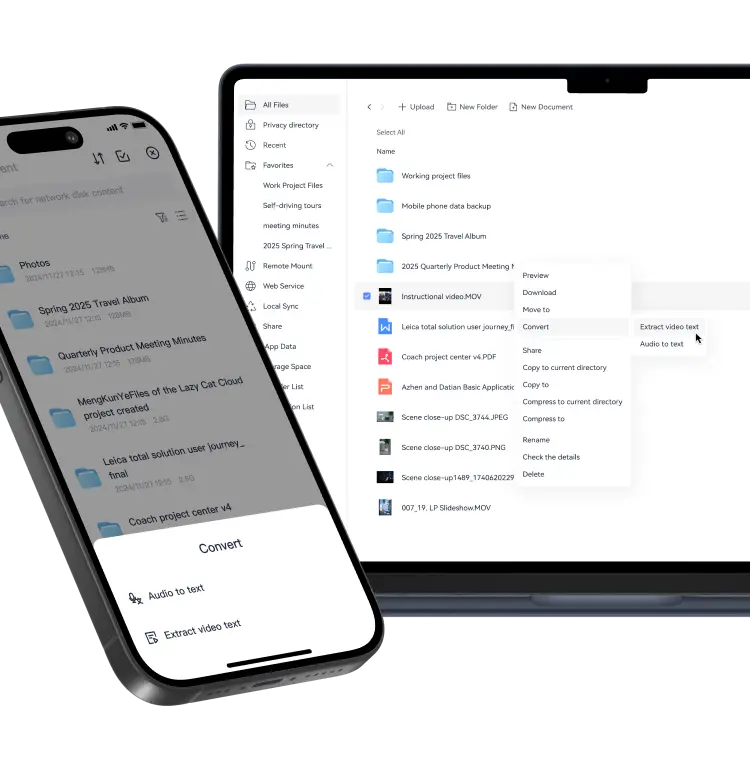
Cloud Drive Video/Audio-to-Text
Quickly extract text from instructional videos/audio to accelerate lesson plan creation
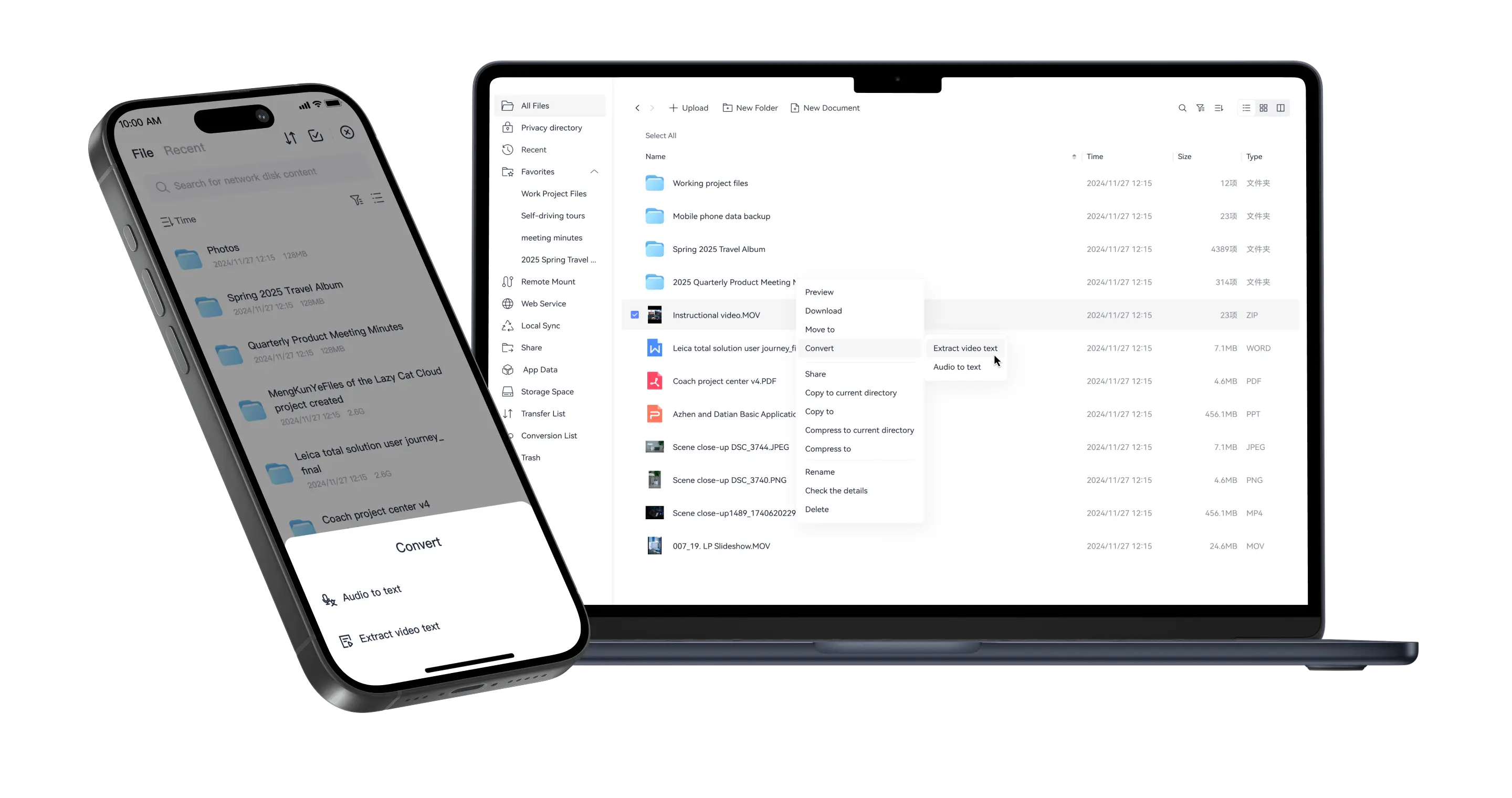
Cloud Drive Video/Audio-to-Text
Quickly extract text from instructional videos/audio to accelerate lesson plan creation
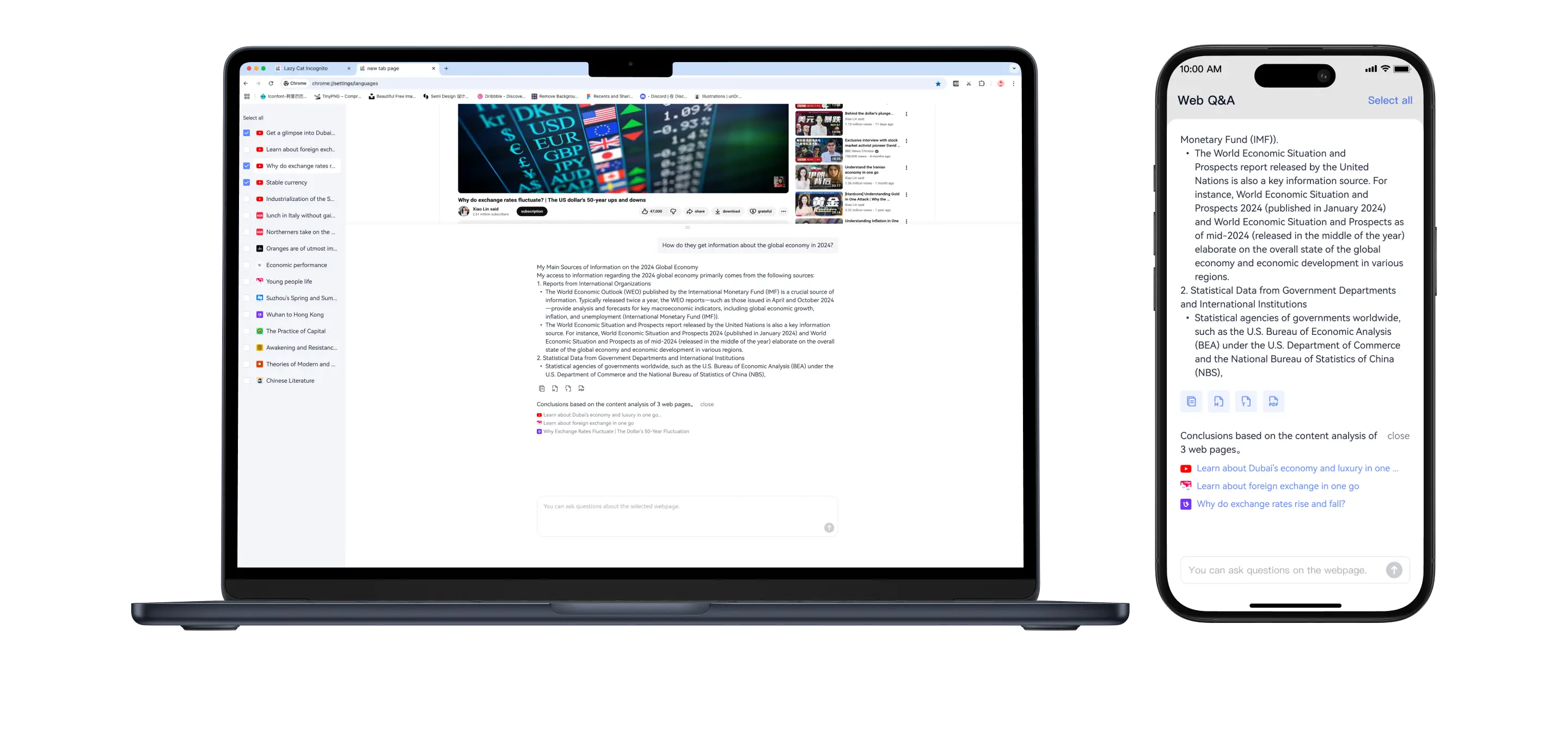
Browser Tab AI Q&A
AI automatically analyzes browser tab content, saving time spent manually analyzing materials
Browser Tab AI Q&A
AI automatically analyzes browser tab content, saving time spent manually analyzing materials
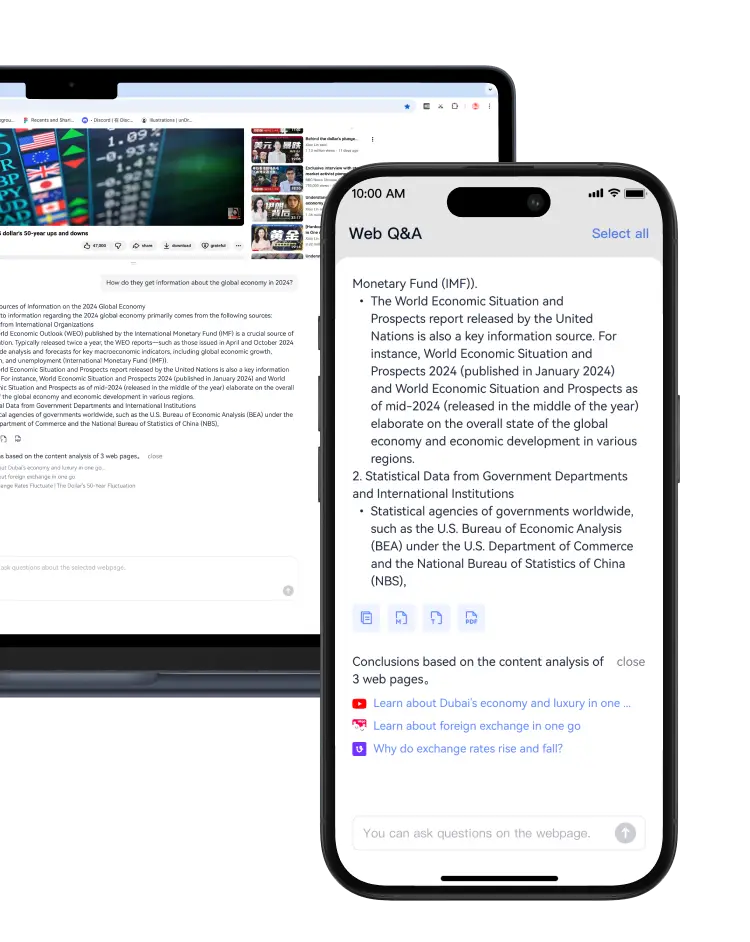
Image AI Translation
Easily translate foreign language text in pictures, a great helper for e-commerce shopping
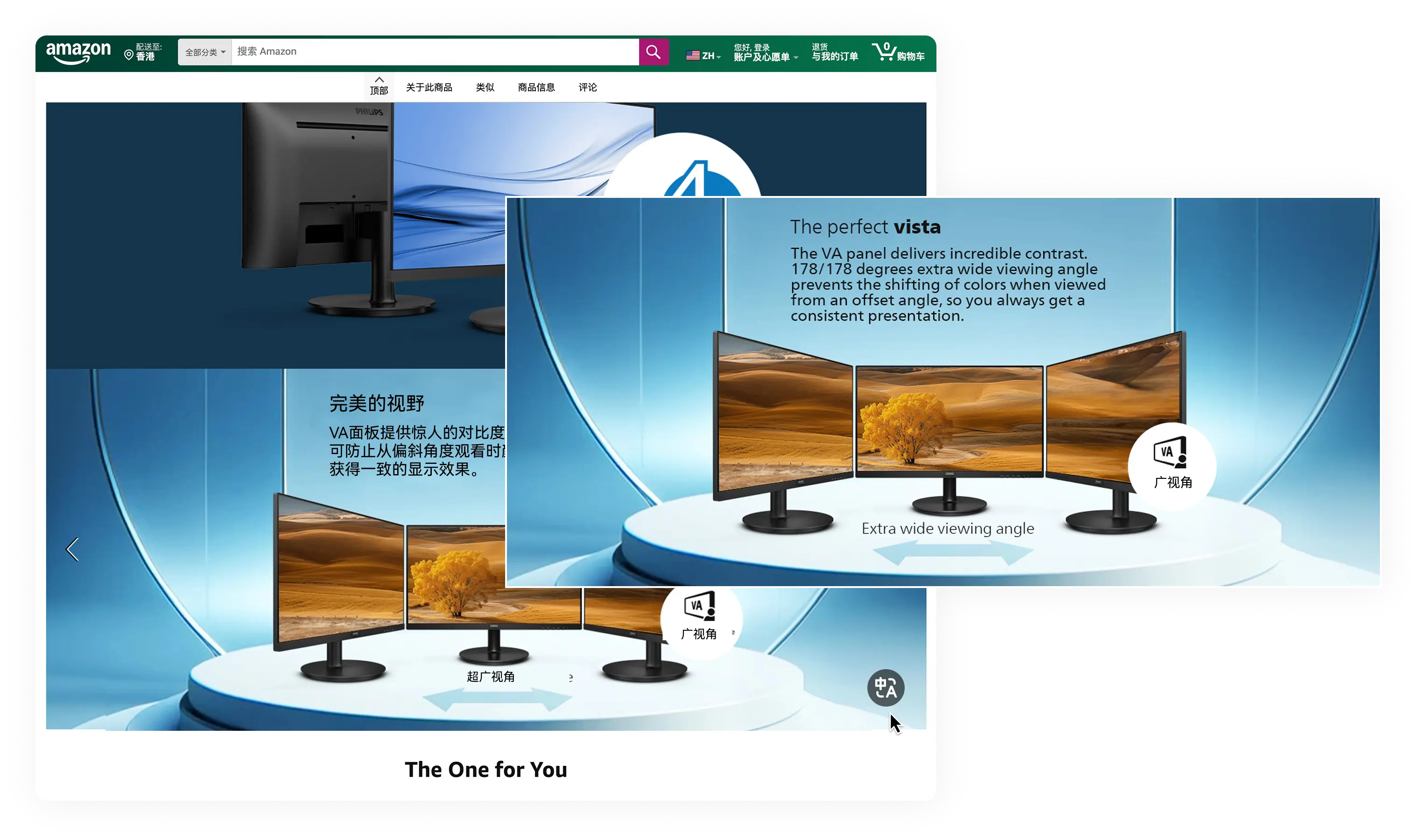
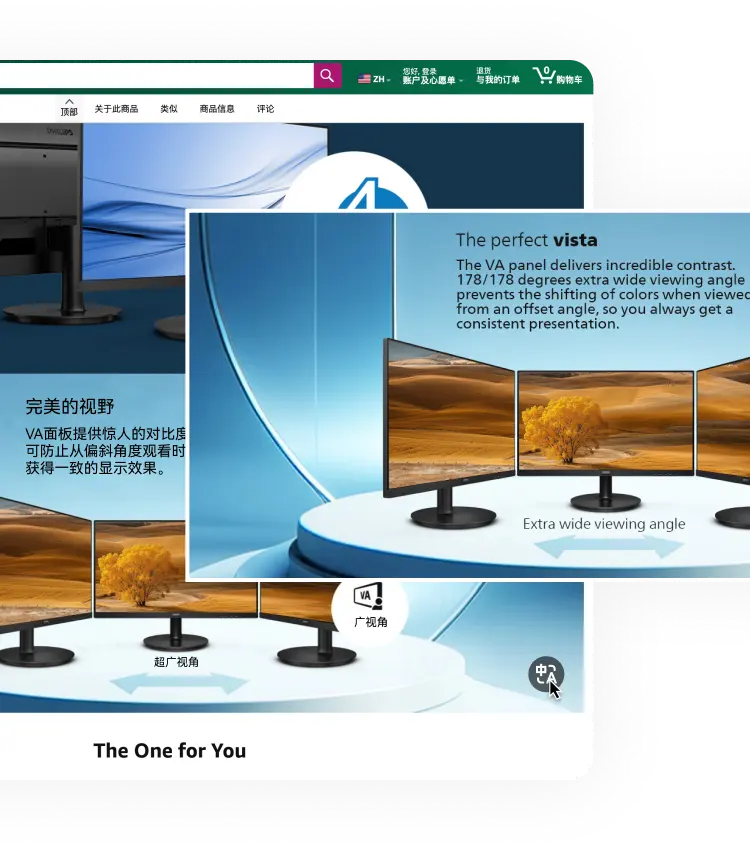
Image AI Translation
Easily translate foreign language text in pictures, a great helper for e-commerce shopping
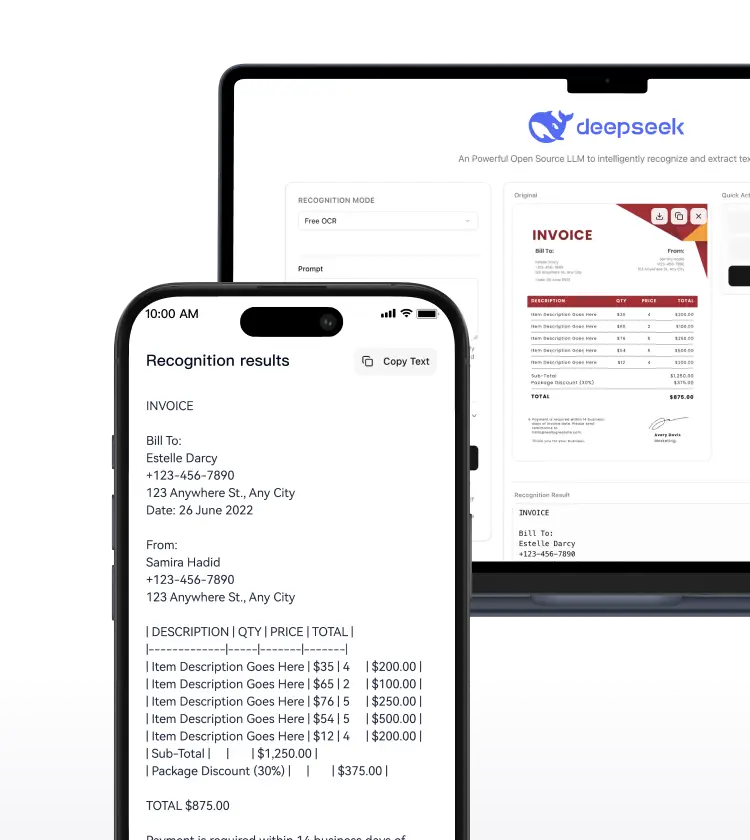
DeepSeek OCR
Intelligently recognizes and extracts text, supporting complex documents such as invoices and train tickets
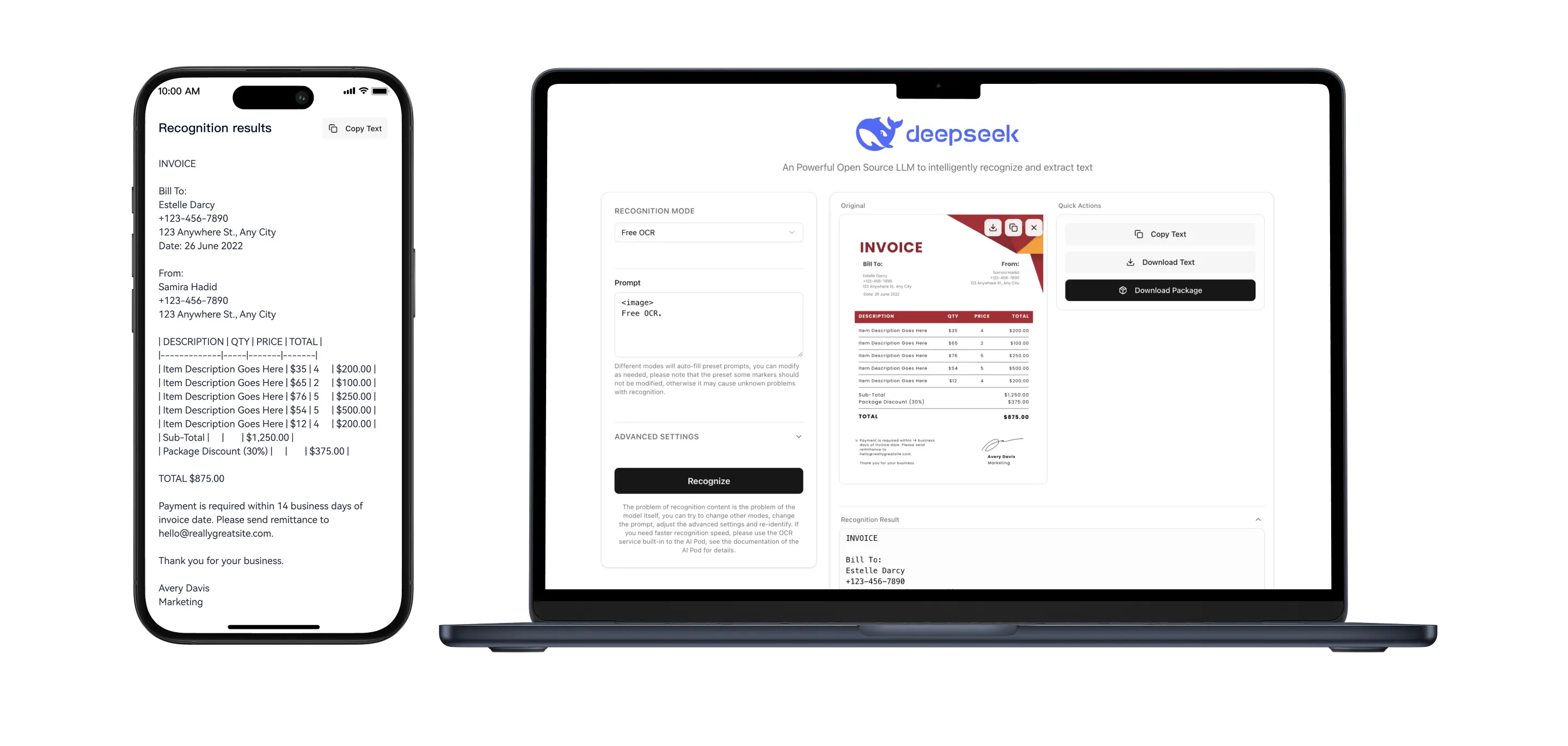
DeepSeek OCR
Intelligently recognizes and extracts text, supporting complex documents such as invoices and train tickets
Document AI Translation
Multilingual text translation; supports uploading text documents for translation
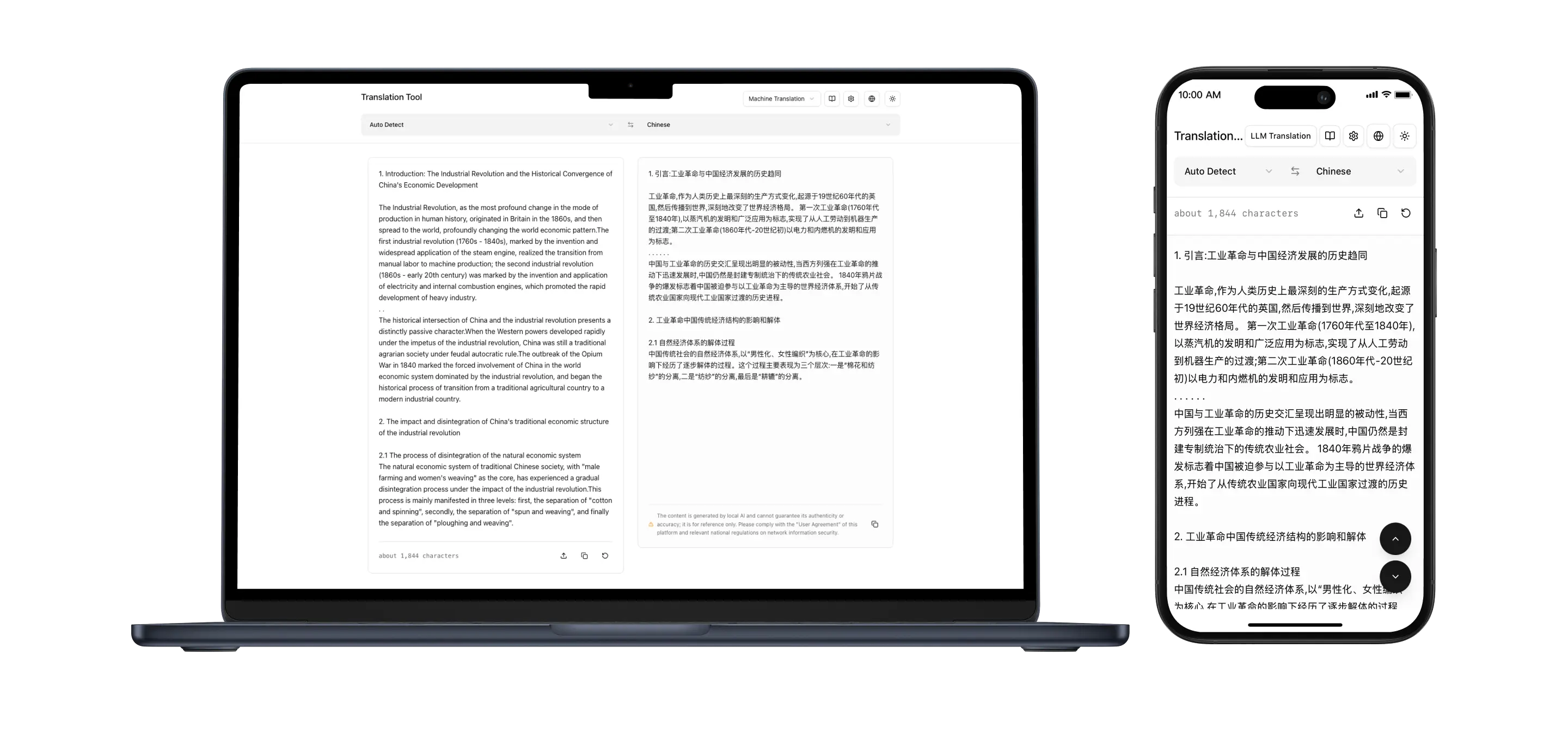
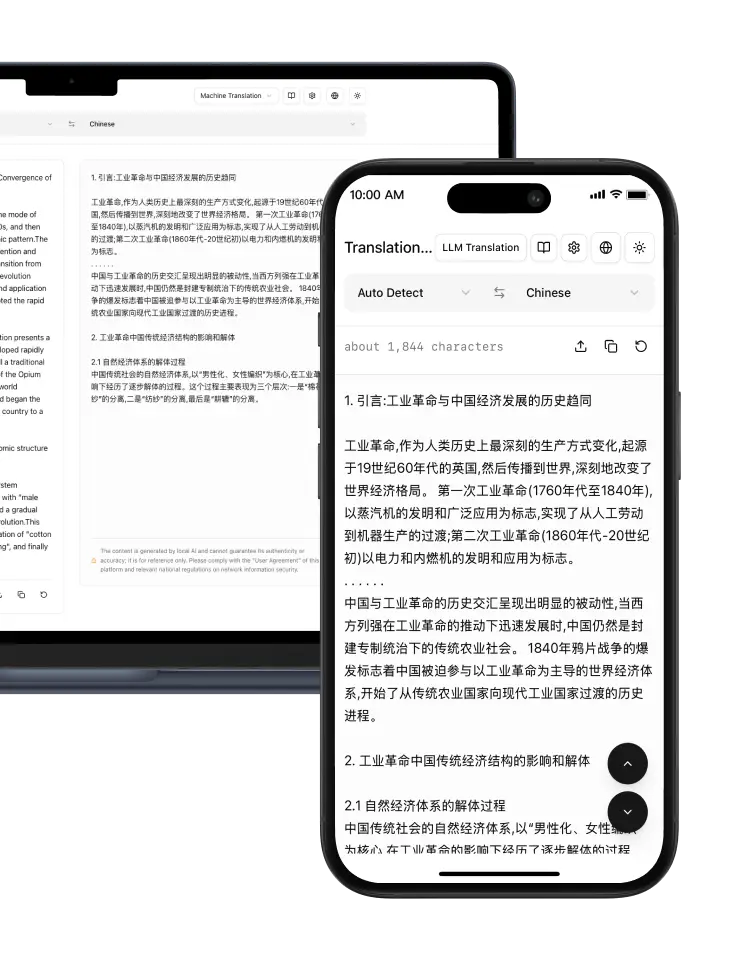
Document AI Translation
Multilingual text translation; supports uploading text documents for translation
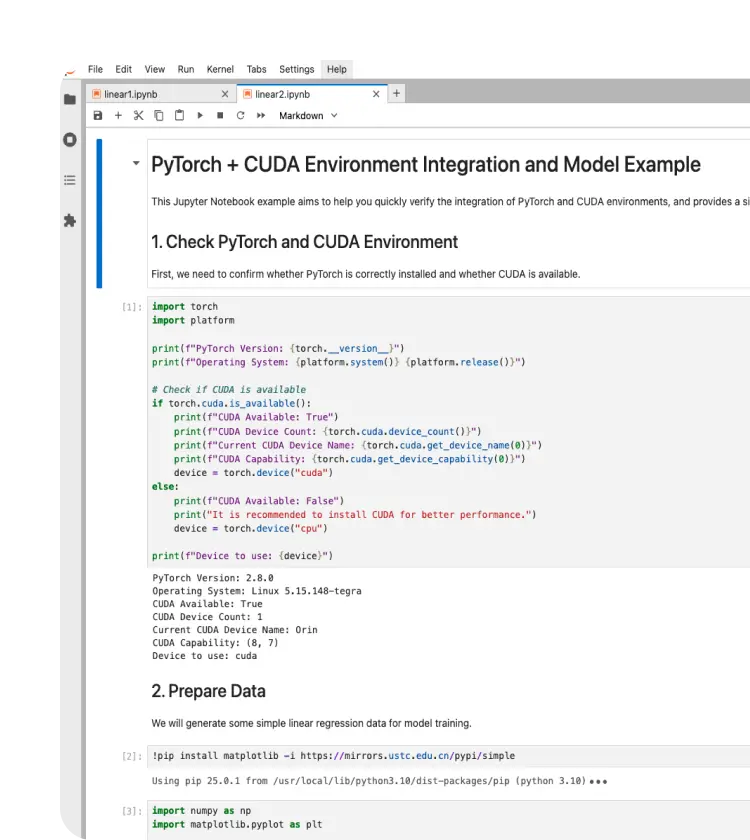
Jupyter Notebook
One-click installation and optimization of Jupyter, supports CUDA, a great helper for AI research
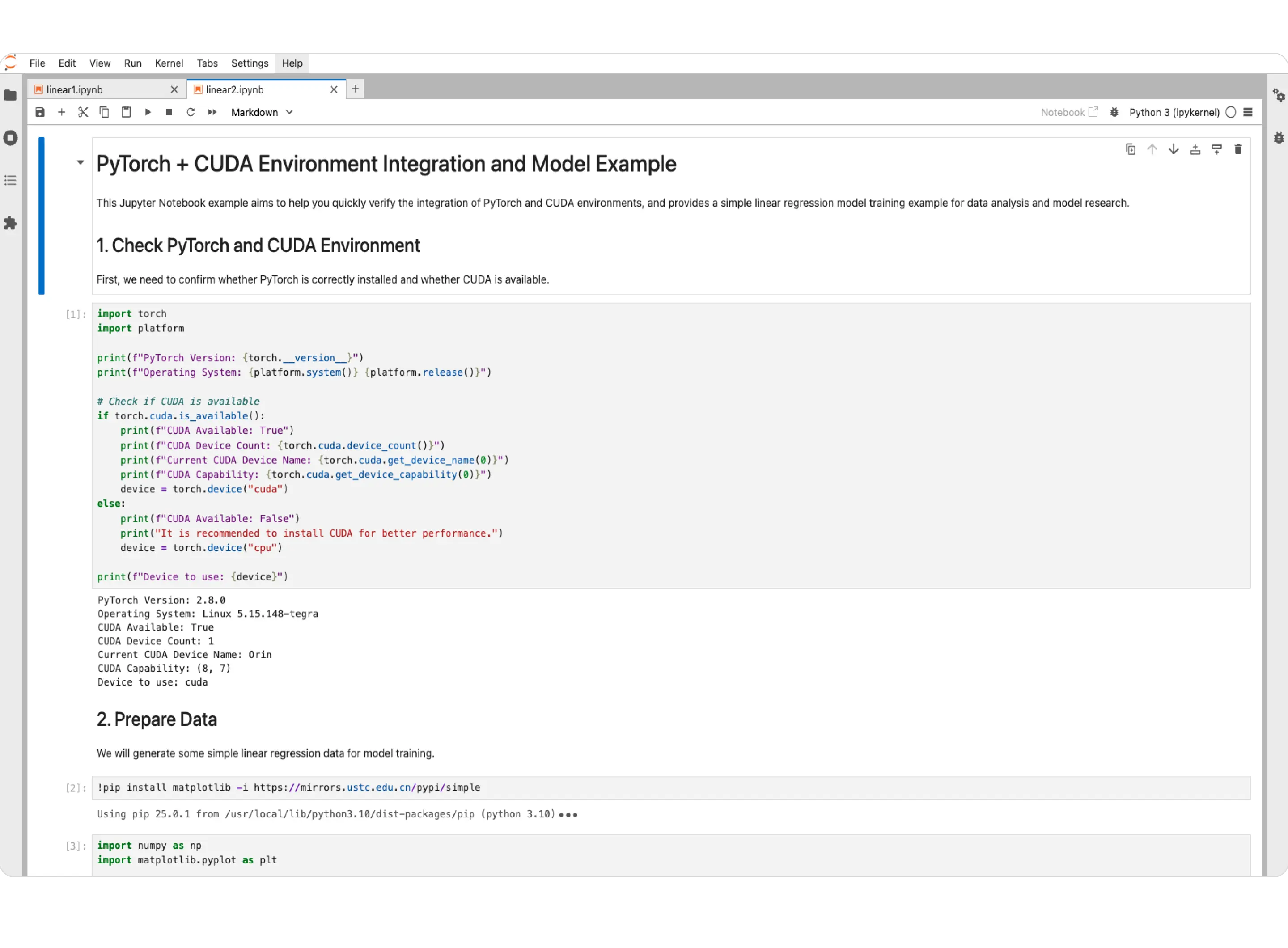
Jupyter Notebook
One-click installation and optimization of Jupyter, supports CUDA, a great helper for AI research
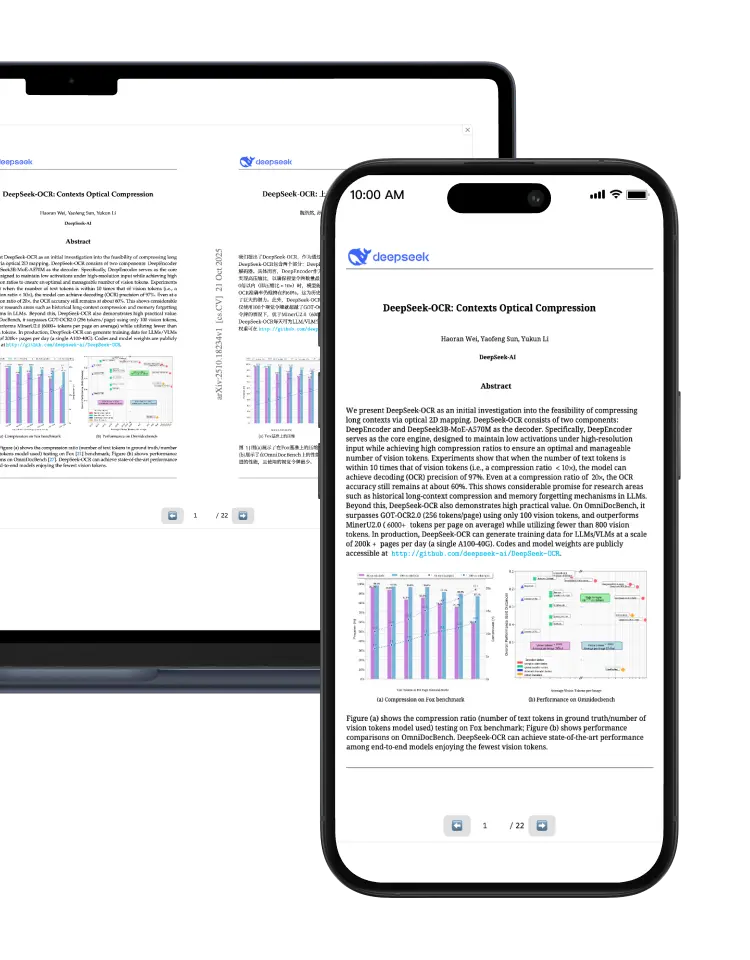
PDF/Document AI Translation
Upload and translate PDFs and various document formats, supporting multilingual translation
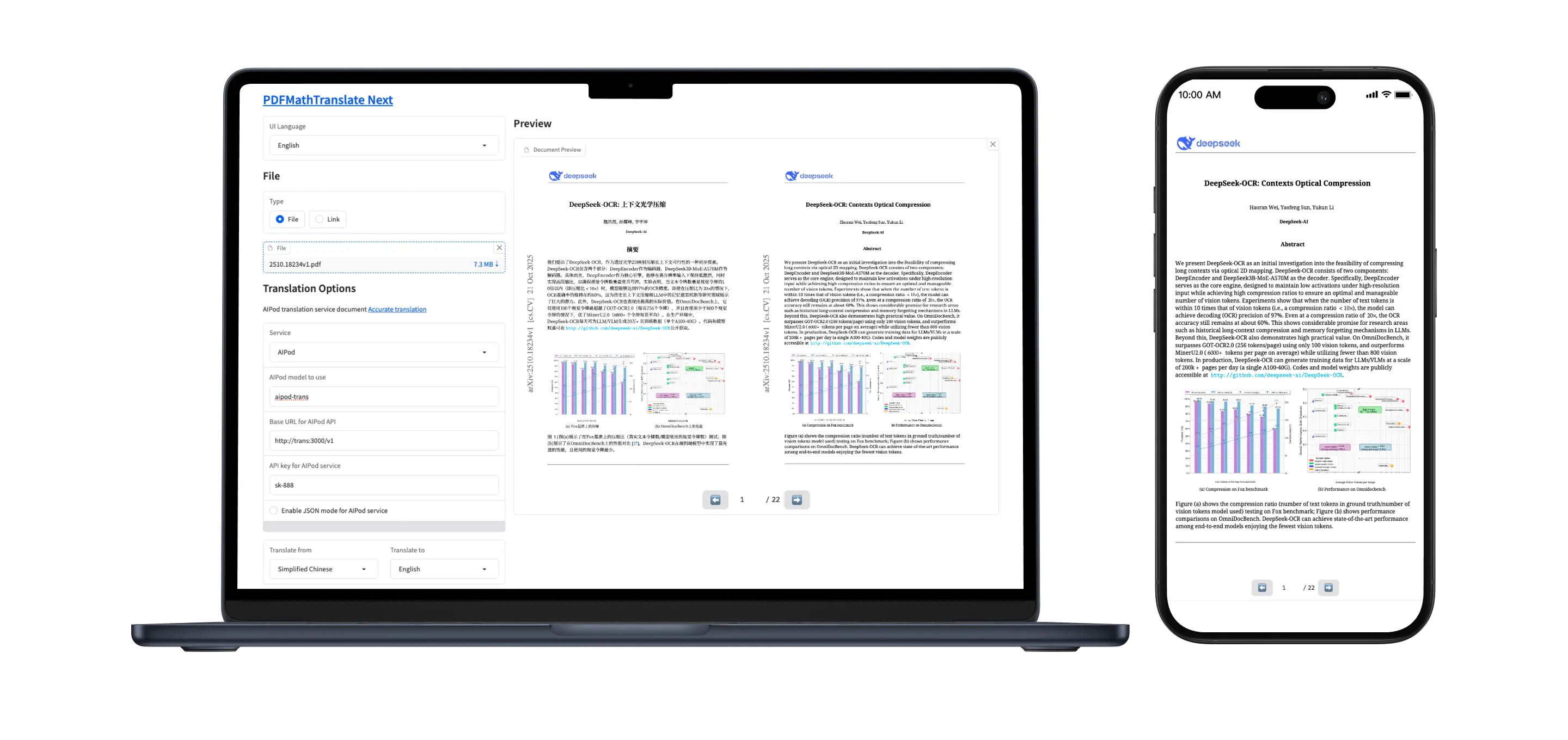
PDF/Document AI Translation
Upload and translate PDFs and various document formats, supporting multilingual translation
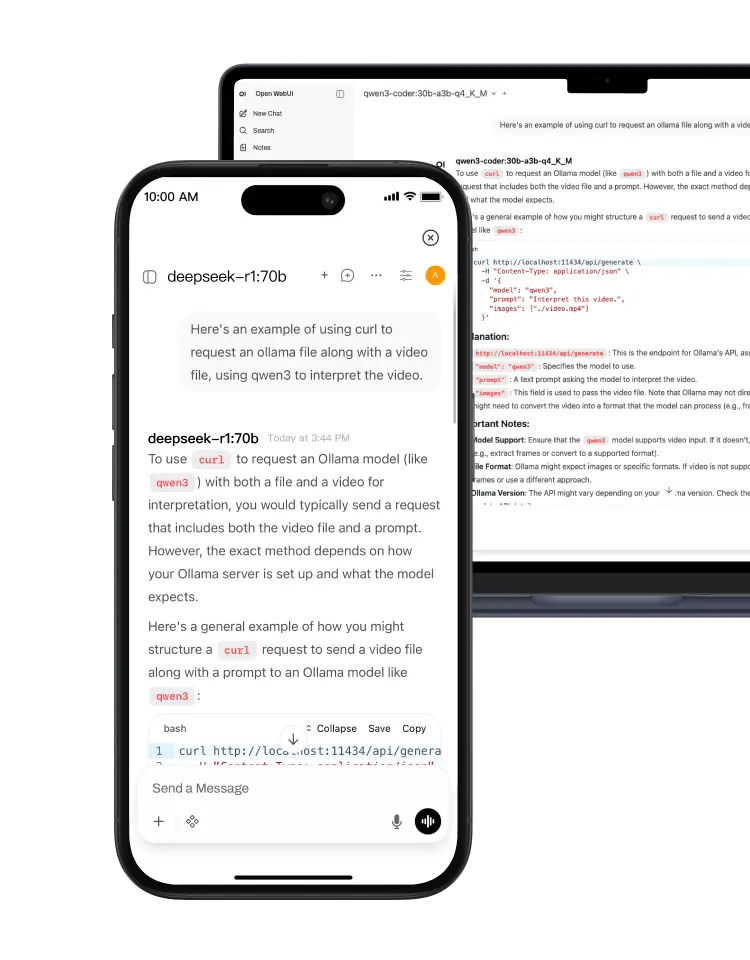
Ollama
Supports Ollama model download, mobile supercomputing, supports 70B ~ 671B AI large models
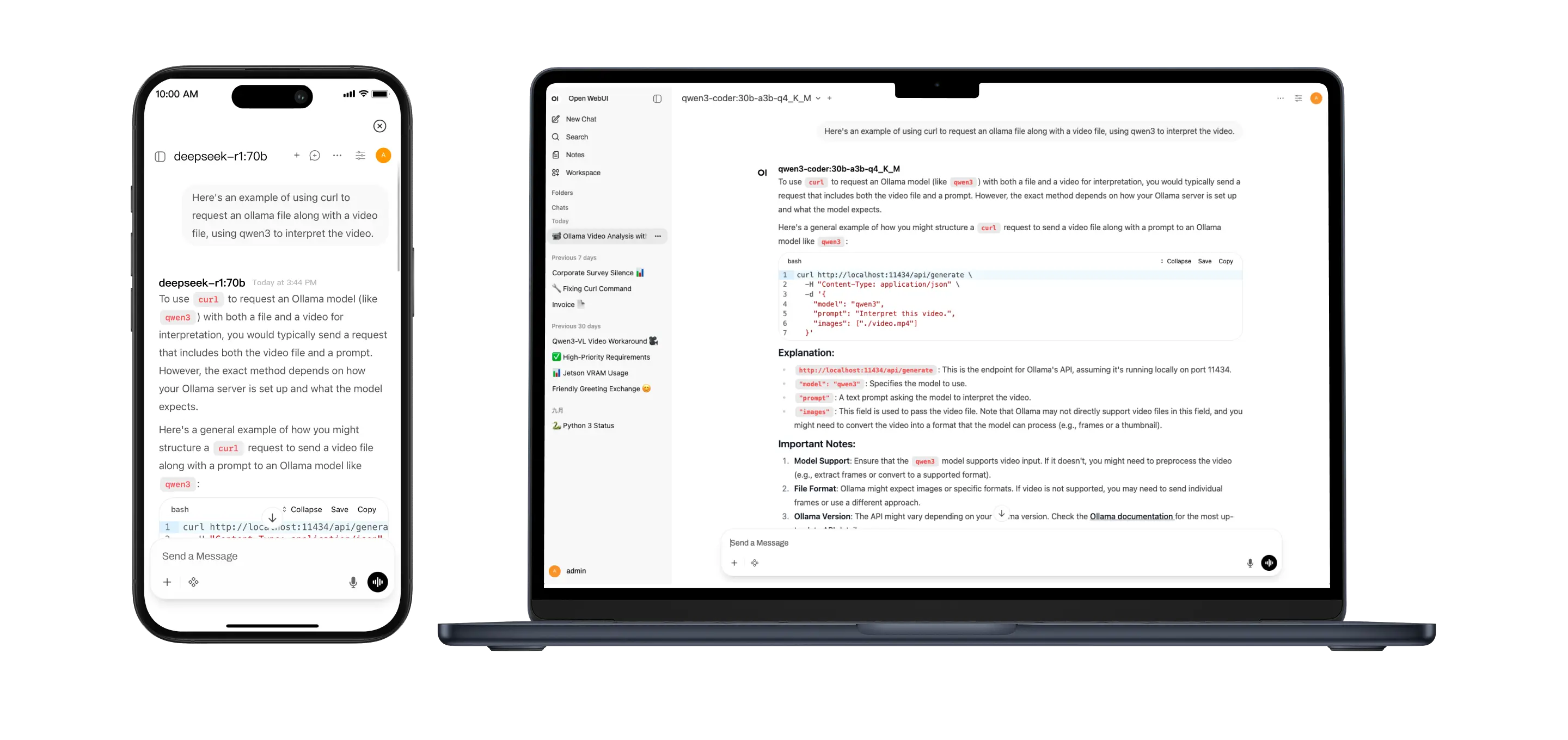
Ollama
Supports Ollama model download, mobile supercomputing, supports 70B ~ 671B AI large models
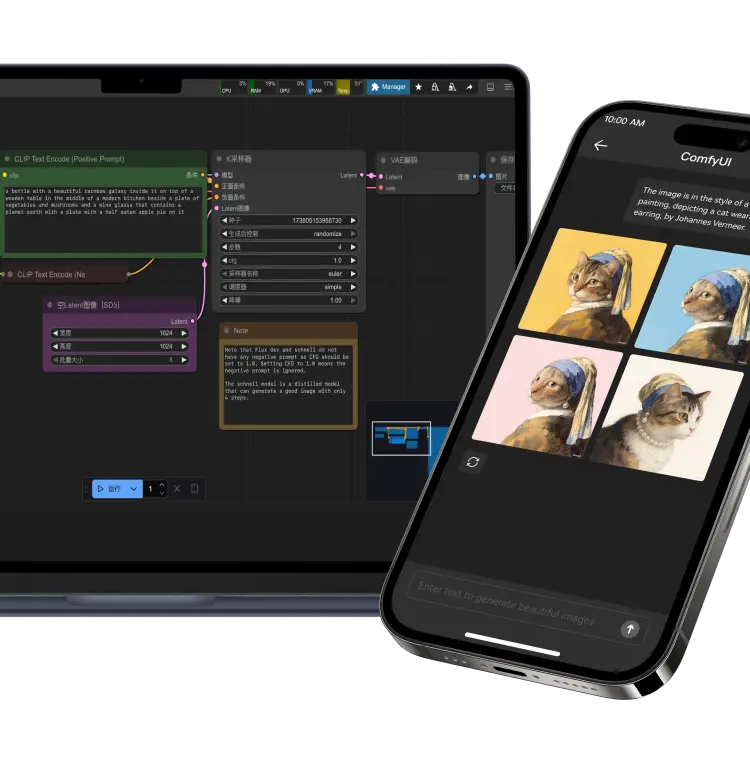
ComfyUI
Advanced text-to-image tools, supports Qwen-Image, Flux, StableDiffusion
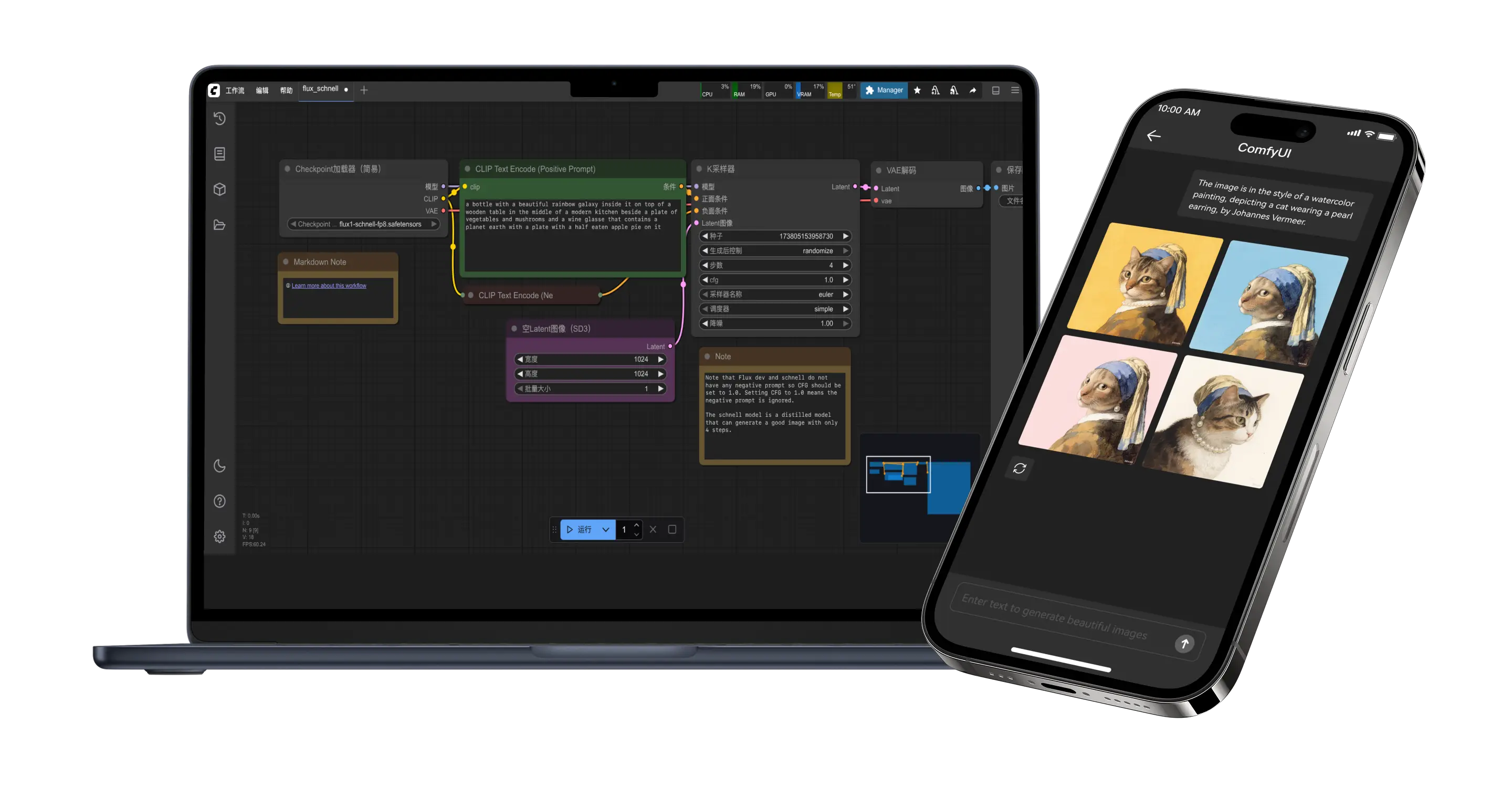
ComfyUI
Advanced text-to-image tools, supports Qwen-Image, Flux, StableDiffusion
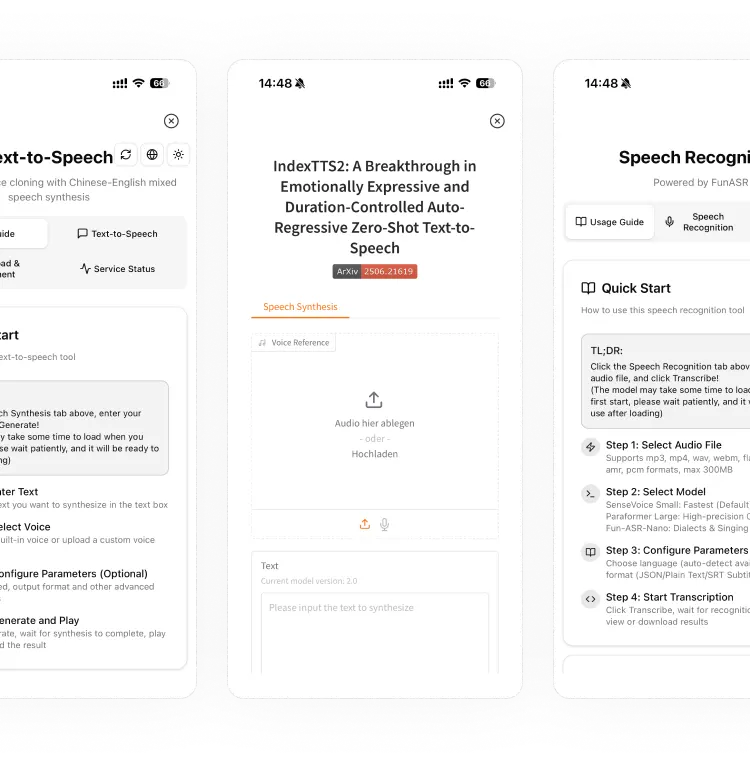
AI Speech Recognition and Synthesis
Integrates speech recognition, speech synthesis, and voice cloning, supporting AI models such as VoxCPM, IndexTTS, and FunASR
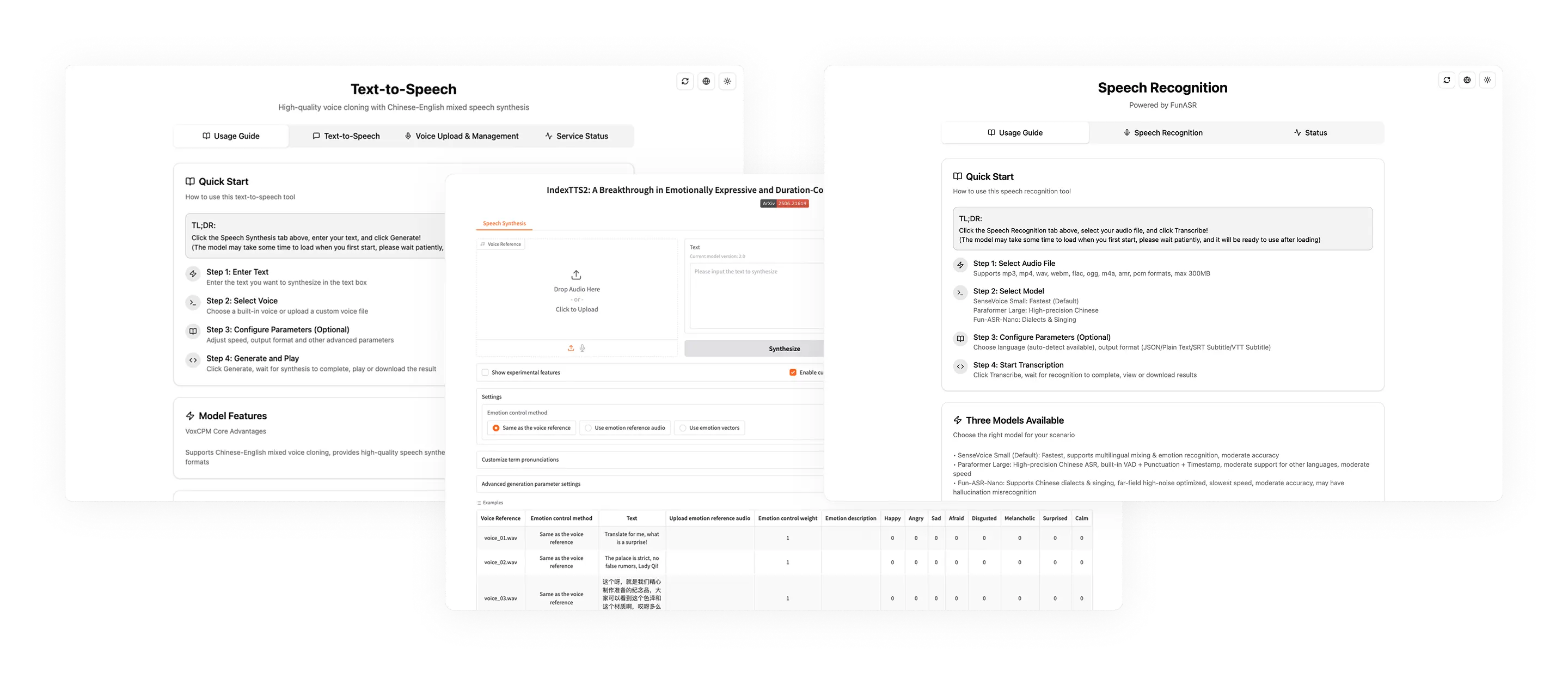
AI Speech Recognition and Synthesis
Integrates speech recognition, speech synthesis, and voice cloning, supporting AI models such as VoxCPM, IndexTTS, and FunASR
LCMD AI Pod App Store
Local deployment of AI applications, unlimited Tokens, privacy and security
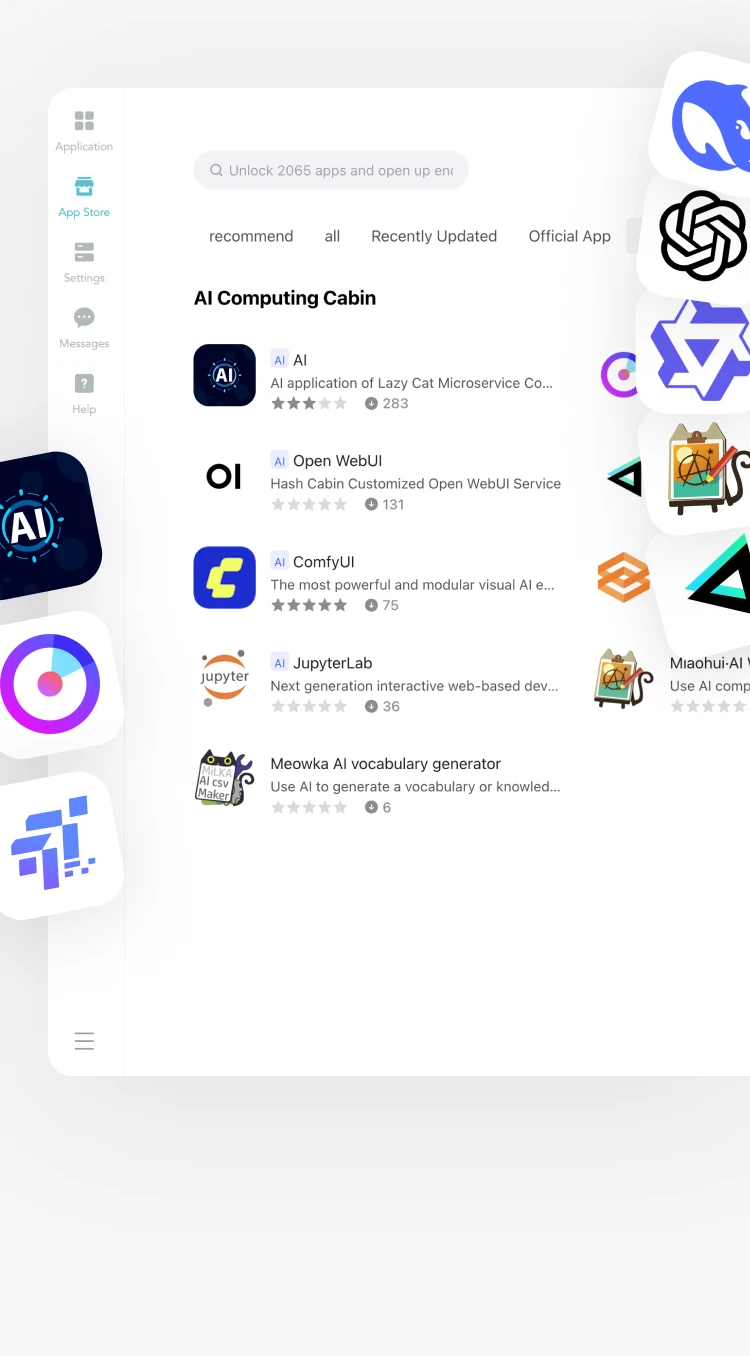
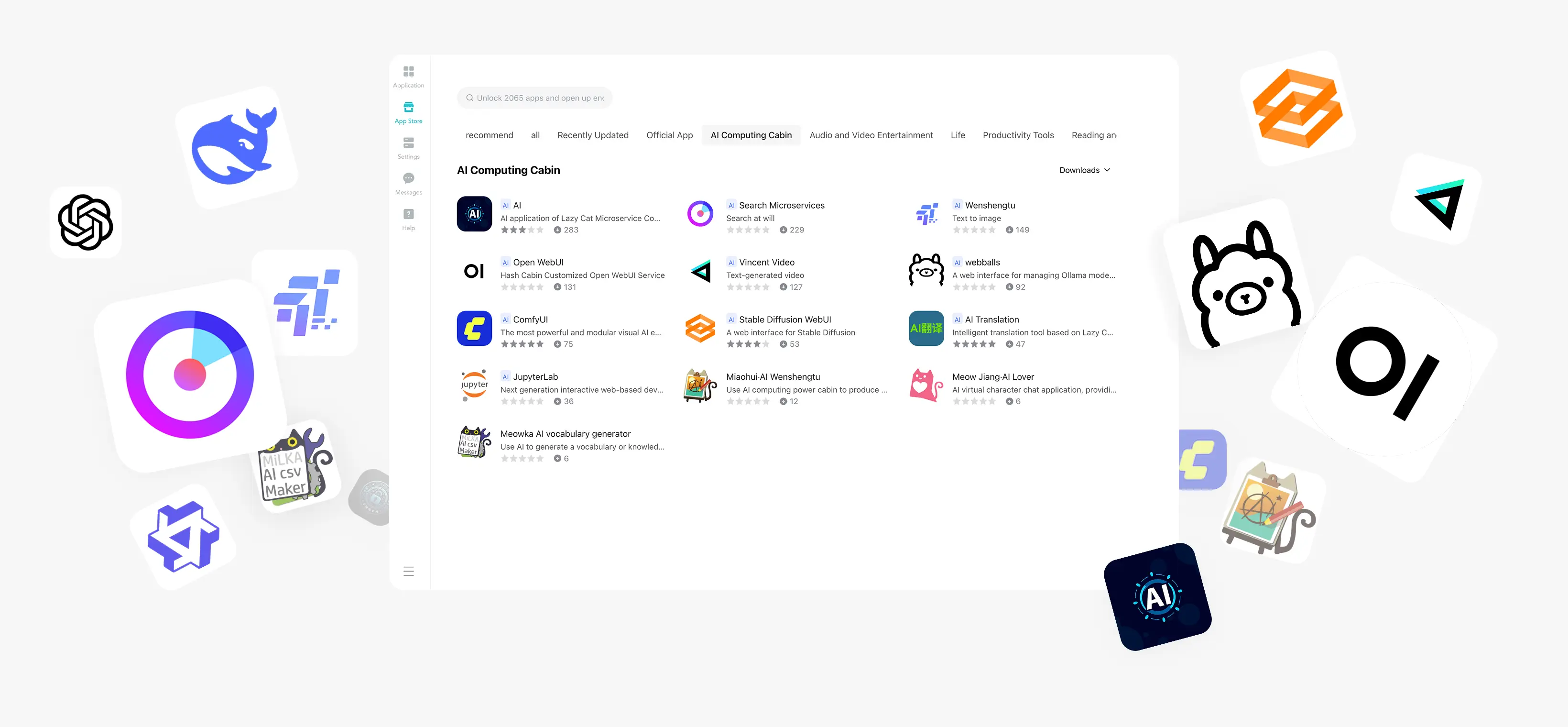
LCMD AI Pod App Store
Local deployment of AI applications, unlimited Tokens, privacy and security
Frequently Asked Questions
What are the differences between the LCMD AI Pod and a desktop GPU solution?
① The AI Pod has 128GB of unified memory, while consumer-grade graphics cards have a maximum of 32GB of VRAM. Its 128GB unified memory can run 284B large models.
② The AI Pod can be used as a standalone computer at only one-third the price of a desktop computer with equivalent GPU capability.
③ AI Pods can be connected over a LAN to scale computing power without limit, while a traditional GPU machine can only hold four cards.
④ The AI Pod is more power-efficient, with module power consumption of 40W ~ 130W, while consumer-grade graphics cards consume 350W ~ 450W.
⑤ The AI Pod is focused on AI inference learning and is quieter, but it cannot handle gaming like consumer-grade graphics cards.
What are the differences between the LCMD AI Pod and AMD 395?
① The AI Pod uses an NVIDIA chip with 2070T computing power, with no inflated performance claims. AMD's theoretical value is 120T, but its actual computing power is reduced by 50%.
② The AI Pod is compatible with the CUDA ecosystem. Any AI model can be downloaded and used directly. Many AMD models are not compatible.
③ The AI Pod comes with AI software integrated with the MicroServer, offering out-of-the-box functionality. AMD requires additional setup for AI software.
What are the advantages of purchasing the LCMD AI Pod + LCMD MicroServer bundle?
① The LCMD MicroServer offers more self-developed AI applications, with no need to configure an AI development environment. Ready to use right out of the box.
② The LCMD MicroServer provides intranet access, allowing you to use the AI Pod's computing power from your phone while you are away.
How to use the LCMD AI Pod if purchased separately?
① The LCMD AI Pod is a standalone Ubuntu AI computer that can be used by plugging in a mouse, keyboard, and monitor.
Frequently Asked Questions
What are the differences between the LCMD AI Pod and a desktop GPU solution?
① The AI Pod has 128GB of unified memory, while consumer-grade graphics cards have a maximum of 32GB of VRAM. Its 128GB unified memory can run 284B large models.
② The AI Pod can be used as a standalone computer at only one-third the price of a desktop computer with equivalent GPU capability.
③ AI Pods can be connected over a LAN to scale computing power without limit, while a traditional GPU machine can only hold four cards.
④ The AI Pod is more power-efficient, with module power consumption of 40W ~ 130W, while consumer-grade graphics cards consume 350W ~ 450W.
⑤ The AI Pod is focused on AI inference learning and is quieter, but it cannot handle gaming like consumer-grade graphics cards.
What are the differences between the LCMD AI Pod and AMD 395?
① The AI Pod uses an NVIDIA chip with 2070T computing power, with no inflated performance claims. AMD's theoretical value is 120T, but its actual computing power is reduced by 50%.
② The AI Pod is compatible with the CUDA ecosystem. Any AI model can be downloaded and used directly. Many AMD models are not compatible.
③ The AI Pod comes with AI software integrated with the MicroServer, offering out-of-the-box functionality. AMD requires additional setup for AI software.
What are the advantages of purchasing the LCMD AI Pod + LCMD MicroServer bundle?
① The LCMD MicroServer offers more self-developed AI applications, with no need to configure an AI development environment. Ready to use right out of the box.
② The LCMD MicroServer provides intranet access, allowing you to use the AI Pod's computing power from your phone while you are away.
How to use the LCMD AI Pod if purchased separately?
① The LCMD AI Pod is a standalone Ubuntu AI computer that can be used by plugging in a mouse, keyboard, and monitor.
LCMD AI Pod, Detailed Specifications
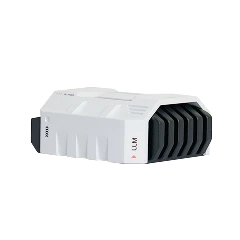
Space White
Sandblasted and baked paint finish
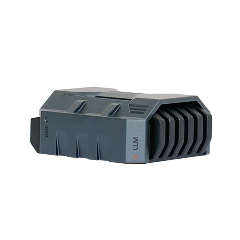
Star Gray
Anodized finish
Basic Information
Model
X5-T4000
X5-T5000
Certified Model
LC2579
LC2579
AI Performance
1200T
2070T
Memory
64GB
128GB
Operating System
Ubuntu
Ubuntu
Dimensions
144 x 130 x 61 mm (L x W x H)
144 x 130 x 61 mm (L x W x H)
Weight
2.3 kg
2.3 kg
GPU
Parameters
NVIDIA Jetson T4000
1536-core NVIDIA Blackwell architecture GPU
5th-generation Tensor Cores
MIG: 6 TPC
Up to 1.53 GHz
NVIDIA Jetson T5000
2560-core NVIDIA Blackwell architecture GPU
5th-generation Tensor Cores
MIG: 10 TPC
Up to 1.57 GHz
Memory
Parameters
64GB 256-bit LPDDR5X
Bandwidth 273 GB/s
128GB 256-bit LPDDR5X
Bandwidth 273 GB/s
CPU
Parameters
12-core Arm® Neoverse®-V3AE 64-bit CPU
1 MB L2 cache per core
16 MB shared system L3 cache
Up to 2.6 GHz
14-core Arm® Neoverse®-V3AE 64-bit CPU
1 MB L2 cache per core
16 MB shared system L3 cache
Up to 2.6 GHz
Storage
Parameters
NVMe supported over PCIe
SSD supported over USB 3.2
NVMe supported over PCIe
SSD supported over USB 3.2
Network Interfaces
Optical Port
1 × QSFP28 optical port
Up to 75 Gbps (3 × 25GbE)
1 × QSFP28 optical port
Up to 100 Gbps (4 × 25GbE)
Ethernet Port
1 × 10GbE RJ45 Ethernet port
Supports Wake-on-LAN
1 × 10GbE RJ45 Ethernet port
Supports Wake-on-LAN
Communications
Wi-Fi
Haihua WIFI6 XB560NF wireless network card
Dual patch antennas
Haihua WIFI6 XB560NF wireless network card
Dual patch antennas
Bluetooth
Bluetooth 5.4
Bluetooth 5.4
Connection Ports
Type-C
1 × Type-C 3.2 Gen2
10Gbps
1 × Type-C 3.2 Gen2
10Gbps
USB
2 × USB 3.2 Gen1
5Gbps
2 × USB 3.2 Gen1
5Gbps
HDMI
1 × HDMI 2.1
8K high-definition output
1 × HDMI 2.1
8K high-definition output
Power
1 × DC
Specification 55x2.5mm
1 × DC
Specification 55x2.5mm
Cooling System
Direct-Blow Hydraulic Silent Fan
10mm large fan
Silent FDB bearing, speed 3500±10% RPM
Self-developed silent speed algorithm
Voltage 12V
10mm large fan
Silent FDB bearing, speed 3500±10% RPM
Self-developed silent speed algorithm
Voltage 12V
Power
Module Power Consumption
40W ~ 70W
40W ~ 130W
Gallium Nitride Wide-Voltage Adapter
Specification 5.5x2.5mm
Input 100V ~ 240V
Output 12V/8A
Frequency 50/60Hz
Supports UPS backup power
Specification 5.5x2.5mm
Input 100V ~ 240V
Output 12V/8A
Frequency 50/60Hz
Supports UPS backup power
LCMD AI Pod, Detailed Specifications
Buy NowSpace White
Sandblasted and baked paint finish
Star Gray
Anodized finish
Basic Information
Model
X5-T4000
X5-T5000
Certified Model
LC2579
LC2579
AI Performance
1200T
2070T
Memory
64GB
128GB
Operating System
Ubuntu
Ubuntu
Dimensions
144 x 130 x 61 mm (L x W x H)
144 x 130 x 61 mm (L x W x H)
Weight
2.3 kg
2.3 kg
GPU
Parameters
NVIDIA Jetson T4000
1536-core NVIDIA Blackwell architecture GPU
5th-generation Tensor Cores
MIG: 6 TPC
Up to 1.53 GHz
NVIDIA Jetson T5000
2560-core NVIDIA Blackwell architecture GPU
5th-generation Tensor Cores
MIG: 10 TPC
Up to 1.57 GHz
Memory
Parameters
64GB 256-bit LPDDR5X
Bandwidth 273 GB/s
128GB 256-bit LPDDR5X
Bandwidth 273 GB/s
CPU
Parameters
12-core Arm® Neoverse®-V3AE 64-bit CPU
1 MB L2 cache per core
16 MB shared system L3 cache
Up to 2.6 GHz
14-core Arm® Neoverse®-V3AE 64-bit CPU
1 MB L2 cache per core
16 MB shared system L3 cache
Up to 2.6 GHz
Storage
Parameters
NVMe supported over PCIe
SSD supported over USB 3.2
NVMe supported over PCIe
SSD supported over USB 3.2
Network Interfaces
Optical Port
1 × QSFP28 optical port
Up to 75 Gbps (3 × 25GbE)
1 × QSFP28 optical port
Up to 100 Gbps (4 × 25GbE)
Ethernet Port
1 × 10GbE RJ45 Ethernet port
Supports Wake-on-LAN
1 × 10GbE RJ45 Ethernet port
Supports Wake-on-LAN
Communications
Wi-Fi
Haihua WIFI6 XB560NF wireless network card
Dual patch antennas
Haihua WIFI6 XB560NF wireless network card
Dual patch antennas
Bluetooth
Bluetooth 5.4
Bluetooth 5.4
Connection Ports
Type-C
1 × Type-C 3.2 Gen2
10Gbps
1 × Type-C 3.2 Gen2
10Gbps
USB
2 × USB 3.2 Gen1
5Gbps
2 × USB 3.2 Gen1
5Gbps
HDMI
1 × HDMI 2.1
8K high-definition output
1 × HDMI 2.1
8K high-definition output
Power
1 × DC
Specification 55x2.5mm
1 × DC
Specification 55x2.5mm
Cooling System
Direct-Blow Hydraulic Silent Fan
10mm large fan
Silent FDB bearing, speed 3500±10% RPM
Self-developed silent speed algorithm
Voltage 12V
10mm large fan
Silent FDB bearing, speed 3500±10% RPM
Self-developed silent speed algorithm
Voltage 12V
Power
Module Power Consumption
40W ~ 70W
40W ~ 130W
Gallium Nitride Wide-Voltage Adapter
Specification 5.5x2.5mm
Input 100V ~ 240V
Output 12V/8A
Frequency 50/60Hz
Supports UPS backup power
Specification 5.5x2.5mm
Input 100V ~ 240V
Output 12V/8A
Frequency 50/60Hz
Supports UPS backup power
LCMD AI Pod, Star Wars Sci-Fi
Made Just for You
Made Just for You
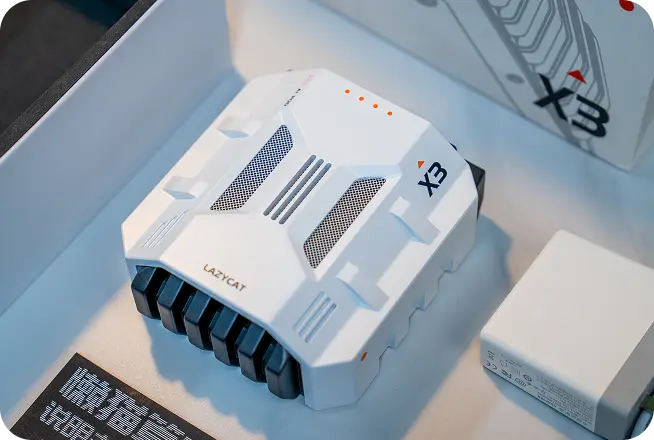
① AI Pod Carry Bag
② AI Pod Main Unit
③ Gallium Nitride Adapter, Gigabit Ethernet Cable
④ AI Pod Packaging Box
LCMD AI Pod, Star Wars Sci-Fi, Made Just for You
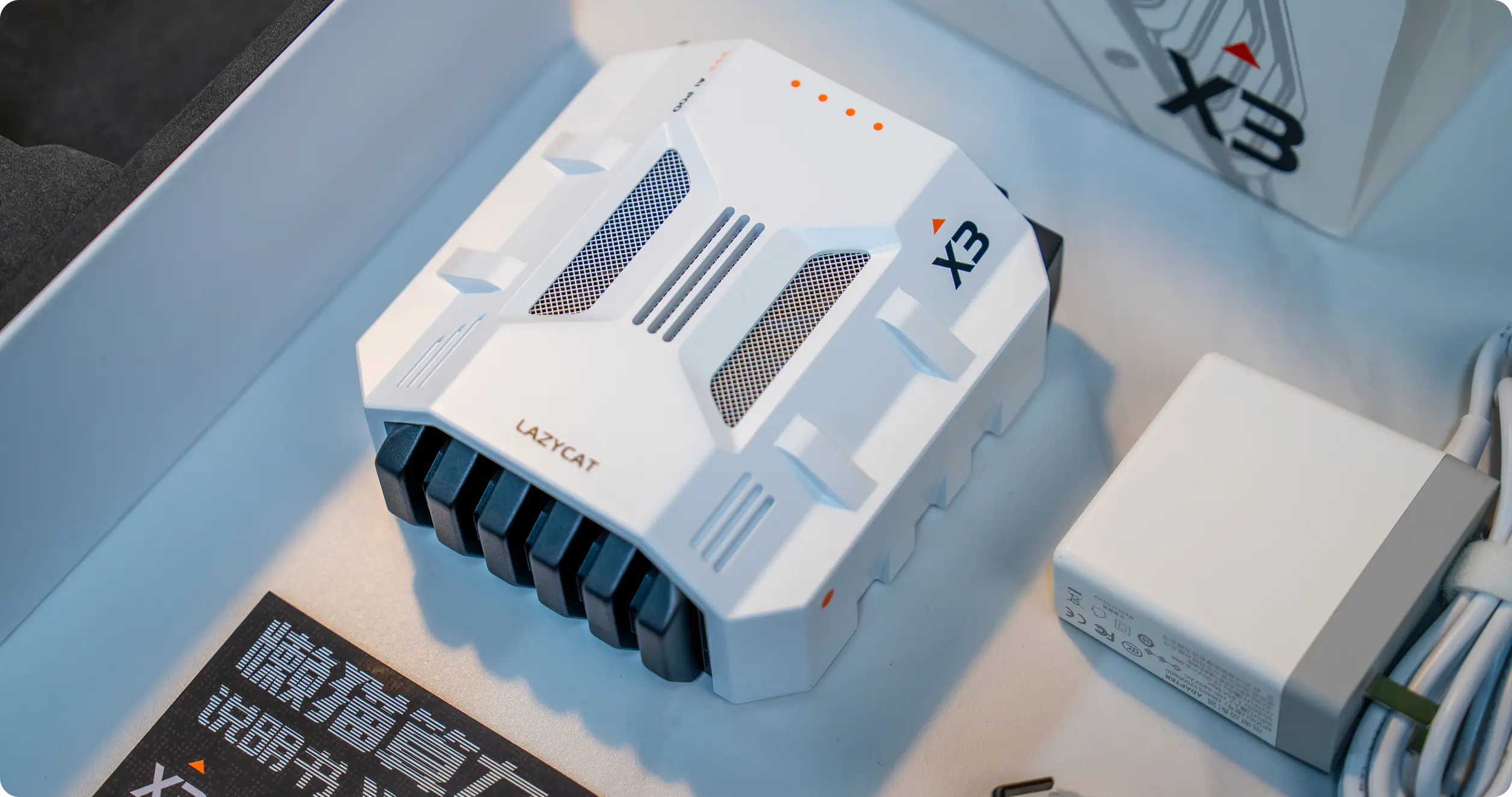
① AI Pod Carry Bag
② AI Pod Main Unit
③ Gallium Nitride Adapter, Gigabit Ethernet Cable
④ AI Pod Packaging Box